Hi,
This is one idea, as always when programming, there are several ways to do the same:
Basically in this example, i show some blobs from the web, and some blobs from a table. Notice that the blobs from the web already have a published web address, so showing them in a list is simple. but the local ones, needed a bit more of effort, to recover the temporary path and moving (or copying) them to a published web folder.
The only change I did in the XSL was this:
Code: Select all
                        <img>
                           <xsl:attribute name="src">
                              <xsl:value-of select="$STD_STRNG" />
                           </xsl:attribute>
                        </img>
basically, i added and img line and the vvalue for src, is the value in the STD_STRNG in the list.
This is the WAM CODE:
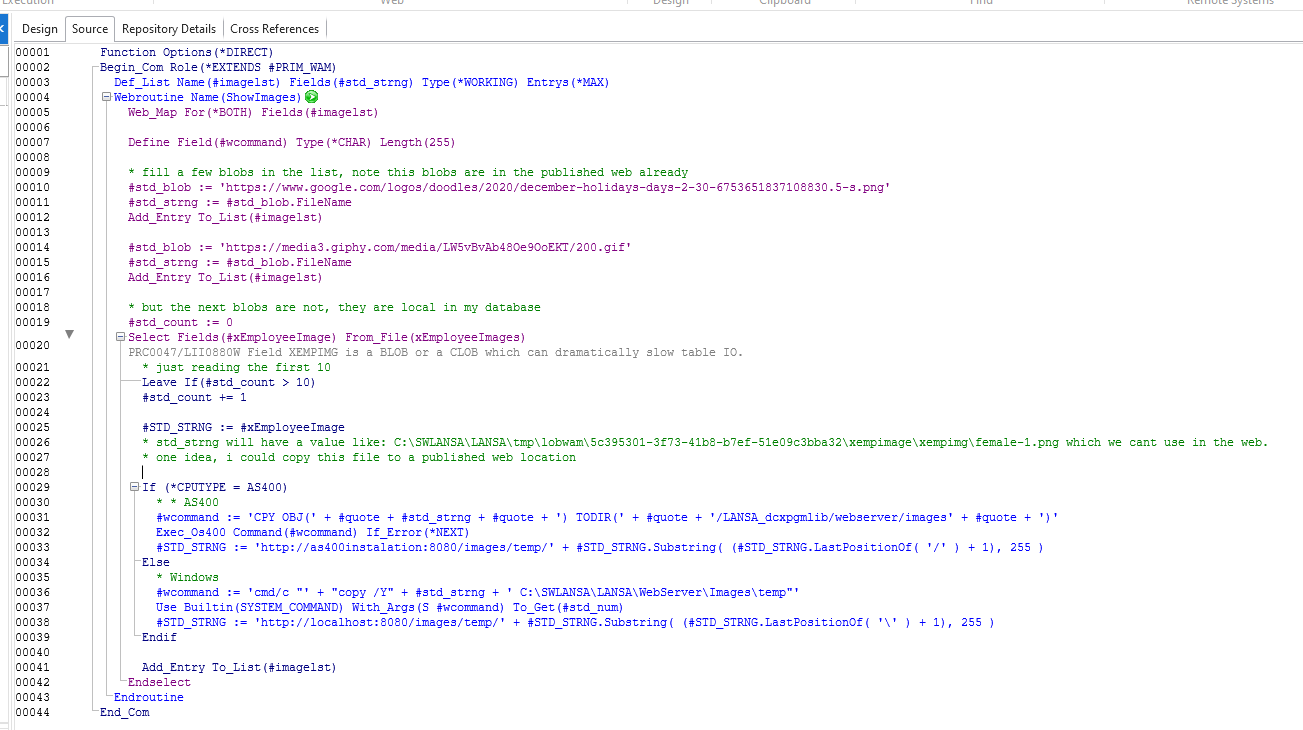
- WAM RDMLX Code
- wamblob1.png (68.58 KiB) Viewed 10868 times
Code: Select all
Function Options(*DIRECT)
Begin_Com Role(*EXTENDS #PRIM_WAM)
Def_List Name(#imagelst) Fields(#std_strng) Type(*WORKING) Entrys(*MAX)
Webroutine Name(ShowImages)
Web_Map For(*BOTH) Fields(#imagelst)

Define Field(#wcommand) Type(*CHAR) Length(255)

* fill a few blobs in the list, note this blobs are in the published web already
#std_blob := 'https://www.google.com/logos/doodles/2020/december-holidays-days-2-30-6753651837108830.5-s.png'
#std_strng := #std_blob.FileName
Add_Entry To_List(#imagelst)

#std_blob := 'https://media3.giphy.com/media/LW5vBvAb48Oe9OoEKT/200.gif'
#std_strng := #std_blob.FileName
Add_Entry To_List(#imagelst)

* but the next blobs are not, they are local in my database
#std_count := 0
Select Fields(#xEmployeeImage) From_File(xEmployeeImages)
* just reading the first 10
Leave If(#std_count > 10)
#std_count += 1

#STD_STRNG := #xEmployeeImage
* std_strng will have a value like: C:\SWLANSA\LANSA\tmp\lobwam\5c395301-3f73-41b8-b7ef-51e09c3bba32\xempimage\xempimg\female-1.png which we cant use in the web.
* one idea, i could copy this file to a published web location

If (*CPUTYPE = AS400)
* * AS400
#wcommand := 'CPY OBJ(' + #quote + #std_strng + #quote + ') TODIR(' + #quote + '/LANSA_dcxpgmlib/webserver/images' + #quote + ')'
Exec_Os400 Command(#wcommand) If_Error(*NEXT)
#STD_STRNG := 'http://as400instalation:8080/images/temp/' + #STD_STRNG.Substring( (#STD_STRNG.LastPositionOf( '/' ) + 1), 255 )
Else
* Windows
#wcommand := 'cmd/c "' + "copy /Y" + #std_strng + ' C:\SWLANSA\LANSA\WebServer\Images\temp"'
Use Builtin(SYSTEM_COMMAND) With_Args(S #wcommand) To_Get(#std_num)
#STD_STRNG := 'http://localhost:8080/images/temp/' + #STD_STRNG.Substring( (#STD_STRNG.LastPositionOf( '\' ) + 1), 255 )
Endif

Add_Entry To_List(#imagelst)
Endselect
Endroutine
End_Com
and this is the full XSL (only change was adding that img section):
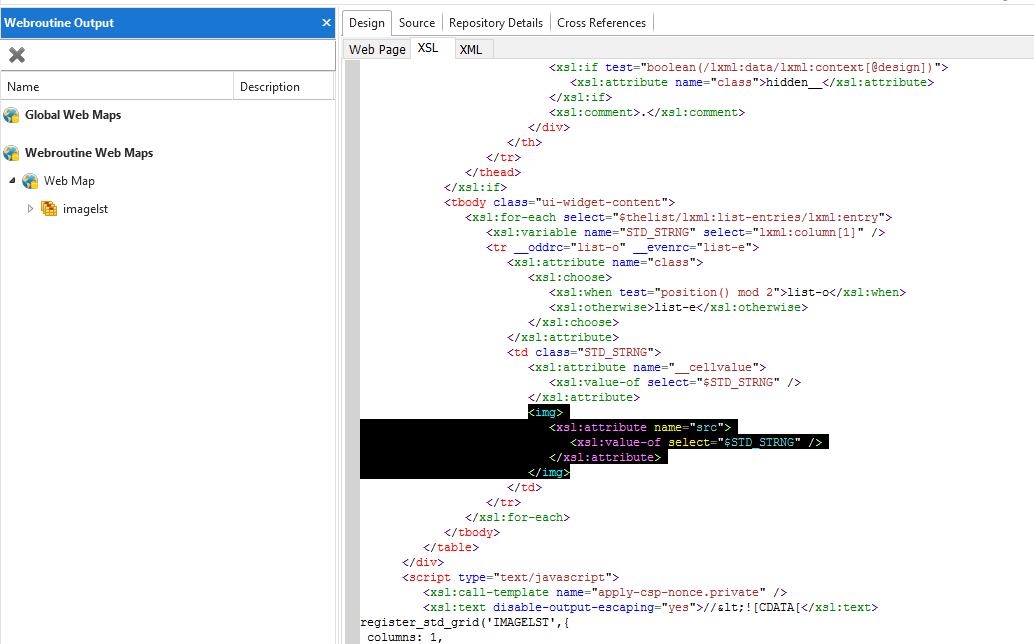
- XSL
- wamblob2.png (59.63 KiB) Viewed 10868 times
Code: Select all
<?xml version="1.0" encoding="UTF-8"?>
<!-- WAM : testw12 - test wam
Webroutine: ShowImages -
Timestamp : 2020-12-02T11:28:52-05:00 -->
<xsl:transform version="1.0" exclude-result-prefixes="lxml wd"
xmlns:lxml="http://www.lansa.com/2002/XML/Runtime-Data"
xmlns:wd="http://www.lansa.com/2002/XSL/Weblet-Design"
xmlns="http://www.w3.org/1999/xhtml"
xmlns:xsl="http://www.w3.org/1999/XSL/Transform">
<xsl:import href="std_keys.xsl" />
<xsl:import href="std_variables.xsl" />
<xsl:import href="std_hidden.xsl" />
<xsl:import href="testw12_layout.xsl" />
<xsl:import href="std_image.xsl" />
<xsl:output method="xml" omit-xml-declaration="yes" encoding="UTF-8"
indent="no" />
<xsl:template match="/">
<xsl:call-template name="layout" />
</xsl:template>
<xsl:template match="/lxml:data">
<xsl:apply-templates select="/lxml:data/lxml:lists/lxml:list[@name='IMAGELST']"
wd:listname="IMAGELST">
<xsl:with-param name="allowSort" select="true()" />
<xsl:with-param name="allowColResize" select="true()" />
<xsl:with-param name="rowHoverEffect" select="false()" />
<xsl:with-param name="selectableRows" select="false()" />
<xsl:with-param name="hide_header_if_empty" select="true()" />
<xsl:with-param name="resizeOnLoad" select="true()" />
</xsl:apply-templates>
</xsl:template>
<xsl:template match="/lxml:data/lxml:lists/lxml:list[@name='IMAGELST']">
<xsl:param name="allowSort" select="true()" wd:type="std:boolean"
wd:tip_id="" />
<xsl:param name="allowColResize" select="true()" wd:type="std:boolean"
wd:tip_id="" />
<xsl:param name="rowHoverEffect" select="false()" wd:type="std:boolean"
wd:tip_id="" />
<xsl:param name="selectableRows" select="false()" wd:type="std:boolean"
wd:tip_id="" />
<xsl:param name="hide_header_if_empty" select="true()"
wd:type="std:boolean" wd:tip_id="" />
<xsl:param name="resizeOnLoad" select="true()" wd:type="std:boolean"
wd:tip_id="" />
<xsl:variable name="thelist"
select="/lxml:data/lxml:lists/lxml:list[@name='IMAGELST']" />
<input type="hidden" name="IMAGELST.."
value="{count(lxml:list-entries/lxml:entry[1])}" />
<div id="IMAGELST_wrap" class="std_grid_wrapper">
<xsl:if test="$lweb_design_mode">
<xsl:attribute name="class">std_grid_wrapper_designtime</xsl:attribute>
</xsl:if>
<table id="IMAGELST" class="std_grid ui-widget">
<xsl:if test="not($hide_header_if_empty) or ($thelist/@row-count != 0)">
<thead>
<tr class="list-h ui-widget-header">
<th class="utext STD_STRNG std_grid_sort_indicator"
__decimalseparator="" __formattype="varchar"
__mode="input" __allowsort="true">
<xsl:for-each select="$thelist/lxml:list-header/lxml:header[1]/*[.//text()[normalize-space(.)!='']]"
wd:edit-as-list="false">
<xsl:value-of select="." />
<xsl:if test="not(position() = last())">
<br />
</xsl:if>
</xsl:for-each>
<div class="std_grid_cell_sizer">
<xsl:if test="boolean(/lxml:data/lxml:context[@design])">
<xsl:attribute name="class">hidden__</xsl:attribute>
</xsl:if>
<xsl:comment>.</xsl:comment>
</div>
</th>
</tr>
</thead>
</xsl:if>
<tbody class="ui-widget-content">
<xsl:for-each select="$thelist/lxml:list-entries/lxml:entry">
<xsl:variable name="STD_STRNG" select="lxml:column[1]" />
<tr __oddrc="list-o" __evenrc="list-e">
<xsl:attribute name="class">
<xsl:choose>
<xsl:when test="position() mod 2">list-o</xsl:when>
<xsl:otherwise>list-e</xsl:otherwise>
</xsl:choose>
</xsl:attribute>
<td class="STD_STRNG">
<xsl:attribute name="__cellvalue">
<xsl:value-of select="$STD_STRNG" />
</xsl:attribute>
<img>
<xsl:attribute name="src">
<xsl:value-of select="$STD_STRNG" />
</xsl:attribute>
</img>
</td>
</tr>
</xsl:for-each>
</tbody>
</table>
</div>
<script type="text/javascript">
<xsl:call-template name="apply-csp-nonce.private" />
<xsl:text disable-output-escaping="yes">//<![CDATA[</xsl:text>
register_std_grid('IMAGELST',{
columns: 1,
allowSort: <xsl:value-of select="$allowSort" />,
allowColResize: <xsl:value-of select="$allowColResize" />,
hoverEffect: <xsl:value-of select="$rowHoverEffect" />,
selectableRows: <xsl:value-of select="$selectableRows" />,
resizeOnLoad: <xsl:value-of select="$resizeOnLoad" />
});
<xsl:text disable-output-escaping="yes">//]]></xsl:text>
</script>
</xsl:template>
<xsl:template match="/lxml:data" mode="content.hidden">
<xsl:apply-imports />
</xsl:template>
</xsl:transform>
and this is the run:
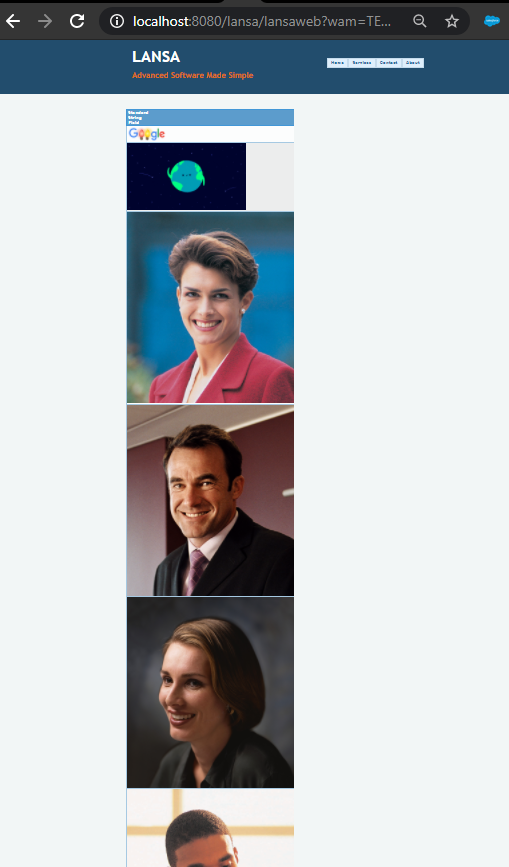
- Run
- wamblob3.png (167.94 KiB) Viewed 10868 times

