Page 1 of 1
Images no longer being found after check in
Posted: Sat Jan 07, 2017 4:38 am
by jyoung
I had added a few more images to my Repository and instead of just checking those new images in, I mistakenly checked in ALL images.
Now, some of the images that have been working on our development iSeries are no longer working. The http request is returning 404.

- Capture.PNG (11.74 KiB) Viewed 7626 times
I thought perhaps they got deleted somehow since they cannot be found, but when I go into the "Work with Visual LANSA Objects" menu, they are still there.
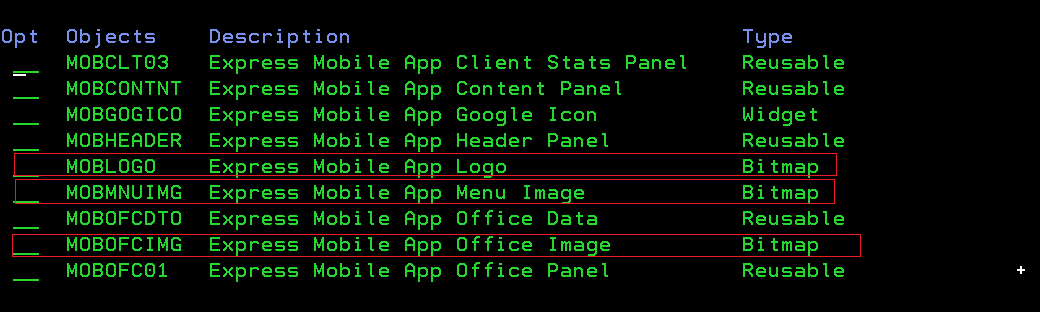
- Capture2.PNG (14.42 KiB) Viewed 7626 times
I've cleared out the browser cache, tried other browsers and nothing seems to work.
Don't know where to go next. Any idea on how to get the images serving again?
Re: Images no longer being found after check in
Posted: Sat Jan 07, 2017 7:29 am
by dannyoorburg
I'm not sure how you lost them. But the actual image file gets created from its repository definition by compiling a page/reusable/theme that uses that particular image.
So normally you wouldn't have to worry about checking in an image. It's just a resource that travels along with the html/javascript of its container.
It sounds like you'll have to recompile some parts.
Hope that helps.
Danny
Re: Images no longer being found after check in
Posted: Sat Jan 07, 2017 7:40 am
by jyoung
Thanks Danny.
I checked in the page and all the reusable parts and then a hard refresh on the browser and the images came back.
I guess checking in the image invalidates the currently compiled reusable parts. Which makes sense as I bet the "v" querystring parameter is a versioning parameter as the new image has a different "v" parameter.
So when you update or check in images, you need to recompile the parts that use those images, good to know.

Thanks for the help.
Re: Images no longer being found after check in
Posted: Sat Jan 07, 2017 8:20 am
by dannyoorburg
Hi,
yes, when you change images you DO need to recompile (one of its) container(s).
Otherwise you just change the Repository definition but not the actual file in your execute folder.
I don't know why checking in the image would delete/change the file in the execute folder, I'll have a play with that when I get back to work, that might be an oversight.
The version number is just there to solve caching issues on the client, it doesn't get used on the server as part of locating the resource, so I don't see how it can matter in this scenario.
Anyway, glad you're seeing your images again

Danny