Page 1 of 1
RAD PAD Prototype with HTML5
Posted: Fri Apr 21, 2017 12:34 am
by jyoung
This doc says that RAD PADs are HTML5 compliant but not much else.
http://docs.lansa.com/14/en/lansa048/in ... 7_0075.htm
How does this work?
All I can do is type in the RAD PAD and use images from the "Images Palette". Using "F1" does not appear to do anything.
If I want to prototype a form with HTML 5 how would I do that?
Re: RAD PAD Prototype with HTML5
Posted: Fri Apr 21, 2017 8:06 am
by MarkD
Assuming you want VLF-ONE and not VLF-WIN as well then have a look at the shipped command handle example DF_WEBBRO.
This line makes it generic:
#WebPage.Source := #Com_Owner.avAlphaArg1
Put your HTML5 prototype pages somewhere and then snap DF_WEBBRO (or your version of it) in for all your prototype command handlers.
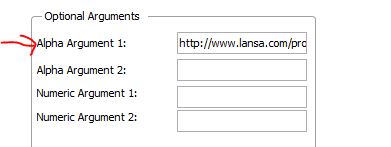
When snapping in use the Alpha Argument 1 option to tell that command’s instance of DF_WEBBRO what web page it is to display:
- Capture2.JPG (16.4 KiB) Viewed 7683 times
I think if you put your HTML files in the web/vl folder along with all the other generated stuff you should be able to access them by just putting their name in as alpha argument 1.
Re: RAD PAD Prototype with HTML5
Posted: Fri Apr 21, 2017 8:08 am
by MarkD
The VLF-WIN "twin" of this web page displayer is called DF_WEBBR (without the O) and it can do the same thing in VLF-WIN.
Re: RAD PAD Prototype with HTML5
Posted: Fri Apr 21, 2017 8:32 am
by MarkD
I guess that the other option is to create real but ‘empty’ command handlers and filters and snap them in. Then drag and drop visual controls onto them as required to create whatever visual impression you need. This approach supports a gradual evolution from a purely visual prototype into the real thing, so nothing needs to get thrown away. The VL-IDE has options to create these empty filters ad command handlers:
Re: RAD PAD Prototype with HTML5
Posted: Fri Apr 21, 2017 11:18 pm
by jyoung
Thanks Mark,
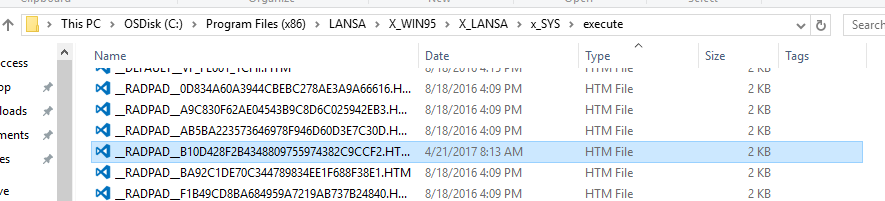
I discovered another way where I could edit the html directly by finding the html associated with the RADPAD.

- radpad file name.PNG (5.81 KiB) Viewed 7665 times
- rad pad location.PNG (25 KiB) Viewed 7665 times
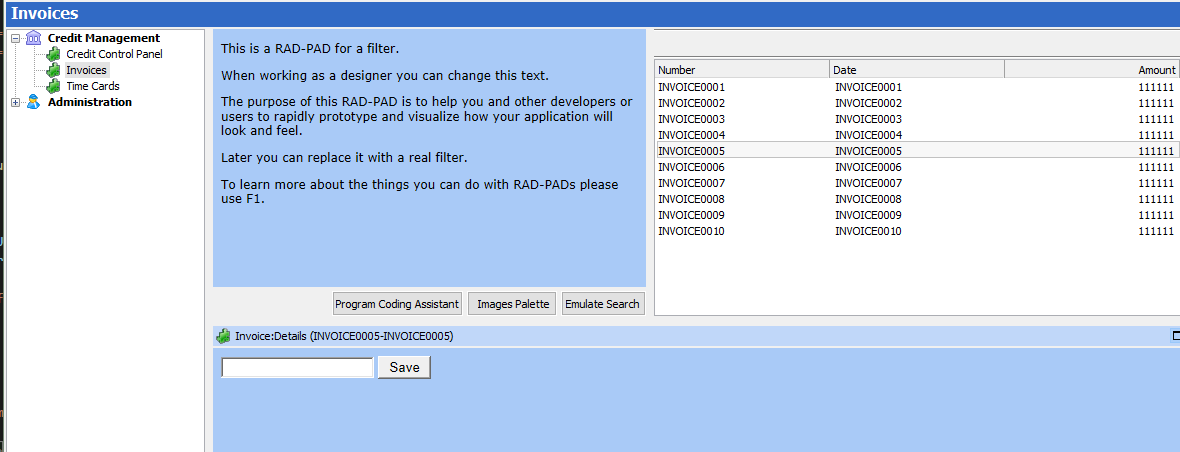
Then I could edit the html directly
Code: Select all
    <form>
        <input type="email"></input> <button>Save</button>
    </form>
- form.PNG (32.96 KiB) Viewed 7665 times
Don't know which way would is easier to better, but nice to have options.
