Page 1 of 1
Instance List Question
Posted: Tue Nov 21, 2017 7:12 am
by lawingo
I have created my own Snap In Instance List. Everything works but the "Business Object Commands" associated to that Business Object do not appear. When I click on an item from the list, the commands tagged as "Instance Commands" show correctly - Like "Details" and "Notes". However, the commands tagged as "business object" commands do not show - like "New" & Delete". Typically they load when the Instance List loads. I can right click on the Instance list and see them that way, but that doesn't make sense to the user. If I take away my "Snap In Instance List Browser ID" and restart VLF then they all show up. I have tried searching the Documentation but I see nothing. Also - I have looked at an example under Programming Techniques > Basic > Snap in Instance Lists and notice the example doesn't include "Business Object Commands." Is it by design not to show the commands?
Any suggestions?
Chad
Re: Instance List Question
Posted: Tue Nov 21, 2017 7:50 am
by jyoung
Its been my experience that when creating your own instance list, you have to do a lot of stuff yourself, as noted here.
http://docs.lansa.com/14/en/lansa048/in ... 8_6090.htm
We've standardized on our lists so that they are all custom (gives us more flexibility to do what we want) and in the space on top of the list is a "mini" toolbar where we put things like "Downloads", "New" etc or in some cases paging mechanisms.
My suggestion would to be find a spot in your custom list to drop a button or other "actionable" control and trigger the business object command directly.
You can trigger a business object command with avSwitch
http://docs.lansa.com/14/en/lansa048/in ... 8_1675.htm.
Here is a couple captures of our instance lists.

- simple instance list.PNG (5.32 KiB) Viewed 9140 times
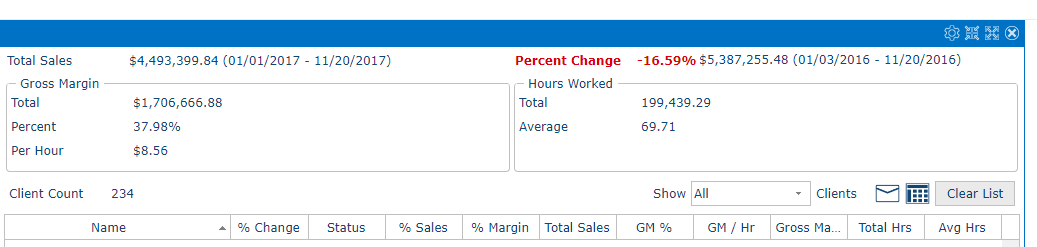
- complex instance list.PNG (16.79 KiB) Viewed 9140 times
EDIT
Removed comment regarding switching to an instance command.
Re: Instance List Question
Posted: Tue Nov 21, 2017 7:55 am
by lawingo
Perfect. Thanks for the tip.
Chad
Re: Instance List Question
Posted: Wed Nov 22, 2017 9:47 am
by MarkD
I created this test snap in instance list browser:
Code: Select all
Begin_Com Role(*EXTENDS #vf_ac012O) Style(#Blue)
Define_Com Class(#Prim_vs.Style) Name(#Blue) Normbackcolor(Blue)
End_Com
The business object it is associated with has commands New and Delete at the object level and commands Example1, 2 and 3 at the instance level. When I run it I see the options to execute the commands above my snap in browser like this:
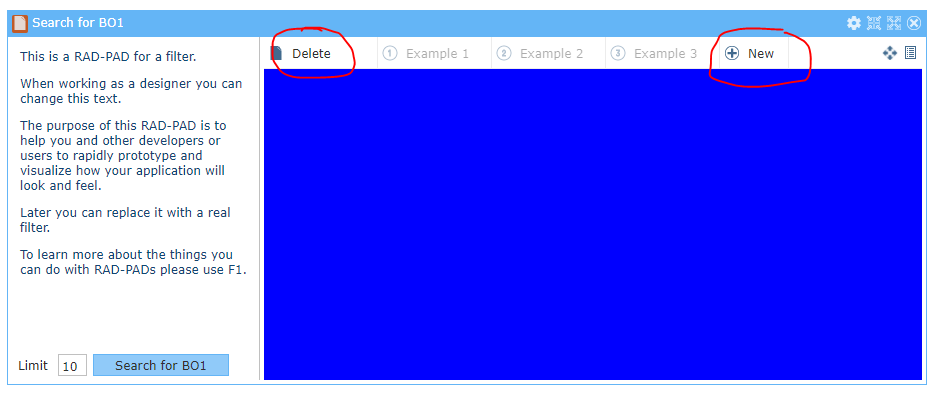
- Capture.PNG (21.51 KiB) Viewed 9116 times
The object level commands New and Delete are enabled and seem to function correctly.
The instance level commands are not currently enabled because the snap in browser has not selected any instance(s).
Re: Instance List Question
Posted: Wed Nov 22, 2017 9:50 am
by MarkD
You should be able to execute an instance level command (handler).
The switch operation should execute against the current instance list item – so you need to set one of them to #ListItem.avIsCurrent := True.
Re: Instance List Question
Posted: Wed Nov 22, 2017 9:57 am
by jyoung
Now that you mention it I think that was the problem I was having with the instance commands. I don't think I had one selected because I was switching to it from another object, so there was no way to select it. I will update my earlier comment.