Page 1 of 1
Online Banking Demo
Posted: Sun Jan 21, 2018 1:18 pm
by gillettd
Hi,
I just tried running the online banking demo but it doesn't go past the intial page ..is there a client access code and password to use ? doesn't look like it when looking at the code ...help please
Cheers,
Dominique
Re: Online Banking Demo
Posted: Mon Jan 22, 2018 8:54 am
by JamesDuignan
Hi Dominique,
The access code and passwords are just mock credentials for this example.
I think the problem most likely would be the connection to your data application server.
Go to File > Options and then select the Web button.
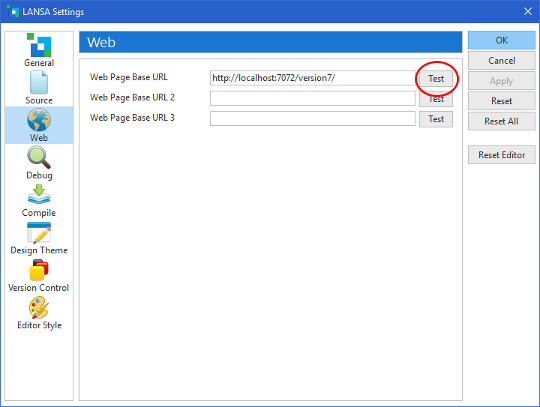
- websettings.PNG (30.89 KiB) Viewed 7402 times
Use the test page to see if you can connect to the data applications server
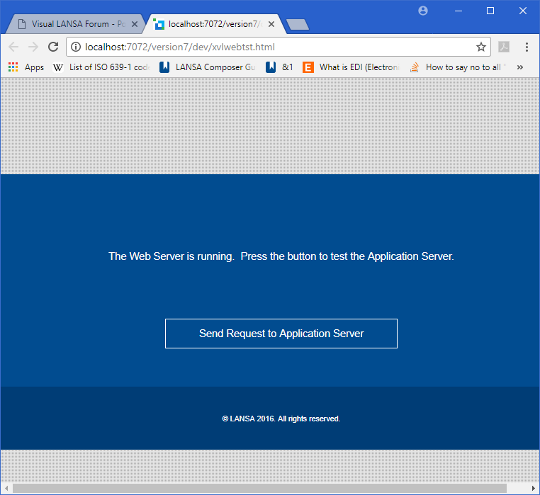
- websettingsTest.PNG (59.32 KiB) Viewed 7402 times
If it is set up and working correctly you should get the following page once after clicking on the button.
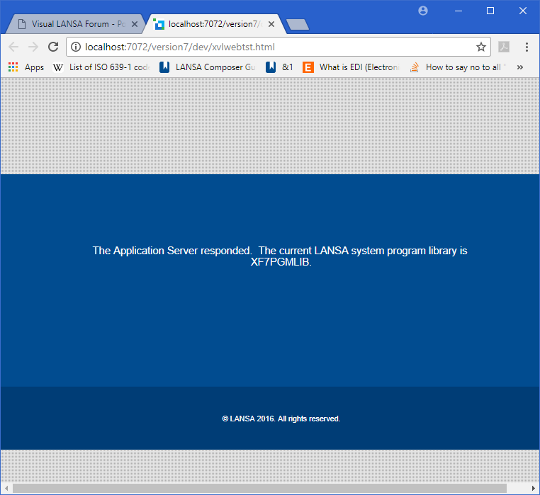
- websettingsTest2.PNG (57.43 KiB) Viewed 7402 times
If you don't get to this page you will have to look into your configuration.
Are you running this on a local PC or against an IBM i?
Regards,
James
Re: Online Banking Demo
Posted: Mon Jan 22, 2018 12:36 pm
by gillettd
local pc..no response from application server
Re: Online Banking Demo
Posted: Mon Jan 22, 2018 3:44 pm
by JamesDuignan
Hi Dominique,
Try this trouble shooting document.