Page 1 of 1
Who is doing Git?
Posted: Thu May 24, 2018 6:13 am
by atostaine
I did a fresh SP2 install today and set it up as independent with VCS. I started following this
https://docs.lansa.com/14/en/lansa011/c ... 2_0285.htm but got sidetracked. It mentions AWS and I'm not sure why I need a cloud provider. I thought I could signup with Git and put my code there.
In case you didn't figure it out, I'm a total noob about this. If I make it to the end and get this to work I'll share.
Art
Re: Who is doing Git?
Posted: Thu May 24, 2018 6:27 am
by jyoung
You don't need AWS. All you need is git and if want to share code an online repository like Github, Bitbucket, Gitlab etc. makes it easy.
If all you are doing is playing with the VCS, you don't need an online repository, just git on your PC. You can always add and online repo later, you use the `git add remote` command.
Git in itself can be mind melting, although if you invest some time in learning it, it will pay off.
If you have not found them already check out the git docs
https://git-scm.com/docs.
We don't currently use it for LANSA dev right now, but its on our list of things to transition to .... eventually. lol.
Re: Who is doing Git?
Posted: Thu May 24, 2018 6:28 am
by atostaine
Ok that clears it up a bit. I'm going to fool with it tonight.
Art
Re: Who is doing Git?
Posted: Sat May 26, 2018 3:32 am
by atostaine
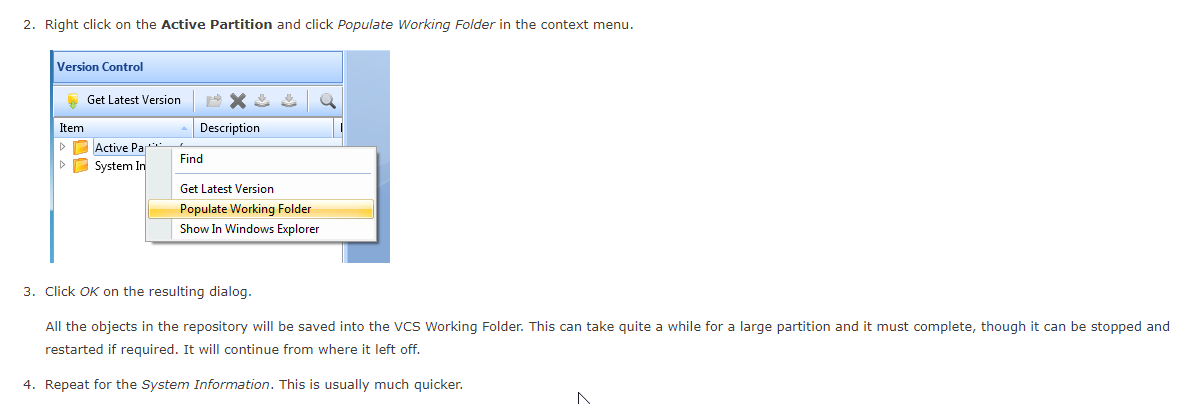
I'm using this doc, it says right click active partition and say "populate working folder". I don't have that option
https://docs.lansa.com/14/en/lansa011/c ... ADM02_0255
From Doc:
- git.png (30.67 KiB) Viewed 23284 times
My options are create folder, rename folder, show in windows explorer. Any ideas?
Re: Who is doing Git?
Posted: Sat May 26, 2018 6:02 am
by jyoung
I think that's an old doc.
Make sure you enabled in Settings. File -> Options -> Version Control
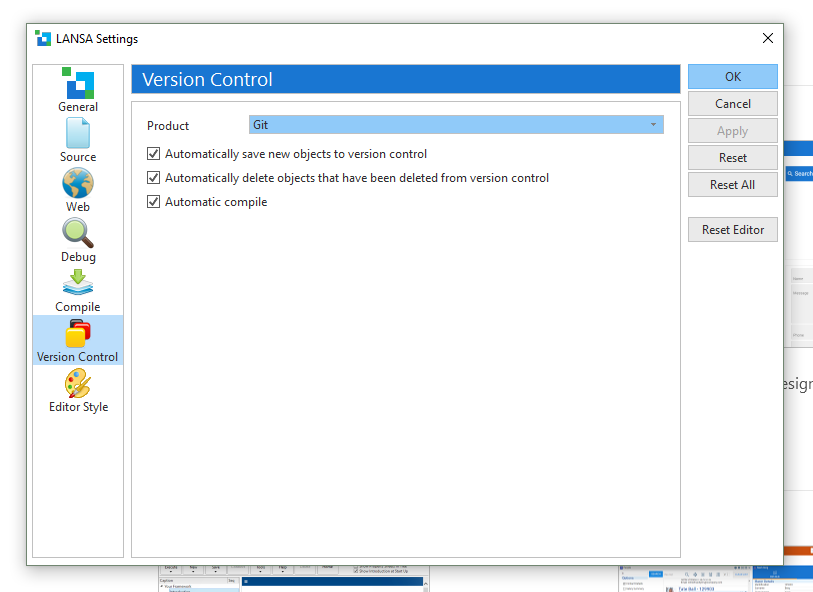
- Capture1.PNG (44.64 KiB) Viewed 23280 times
Then in Version Control window, you should be able to right click the Partition, Version Control -> Create Git Repository
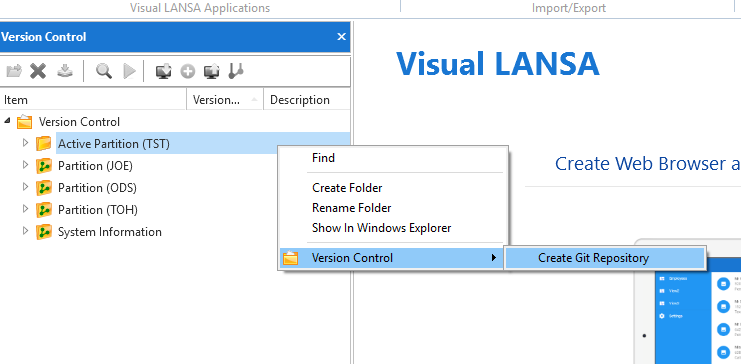
- Capture2.PNG (27.55 KiB) Viewed 23280 times
You can also do it with just git,right click on the Partition (in the Version Control window) show in Windows Explorer.
The in the folder, right click and Git Bash here.
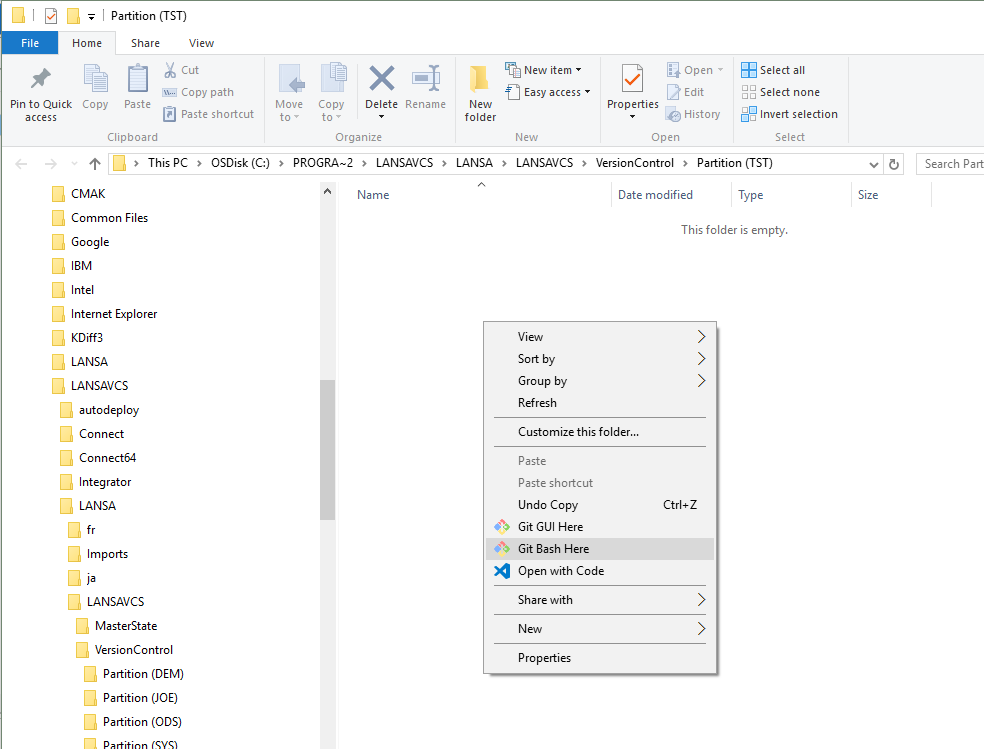
- Capture3.PNG (57.7 KiB) Viewed 23280 times
Then type git init in the git bash window. I do think you have to restart the IDE to get it to pickup change though.
Re: Who is doing Git?
Posted: Sat May 26, 2018 8:57 am
by atostaine
Thank you for the response. Wlill try tomorrow
Re: Who is doing Git?
Posted: Wed May 30, 2018 12:24 am
by atostaine
I was able to do the git bash way. I can right click a component and save add to version control.
I go into Git extensions and open the repository but it shows nothing. How can I view the repository in GIT?
Thanks
Re: Who is doing Git?
Posted: Wed May 30, 2018 12:40 am
by jyoung
Git works off the file system so the first question is do you see the YAML (*.yml) file in the version control folder?
Git requires two things to add a file to the repository. You have to first "stage" the file, then you have to "commit" the file.
I don't use Git Extensions so I am not sure how that will look, but if you are in Git Bash partition level you and use `git status`. I am using backticks ` to note the whole command.
This will show untracked files. Here I don't have anything committed yet, so I would not see anything in Git.
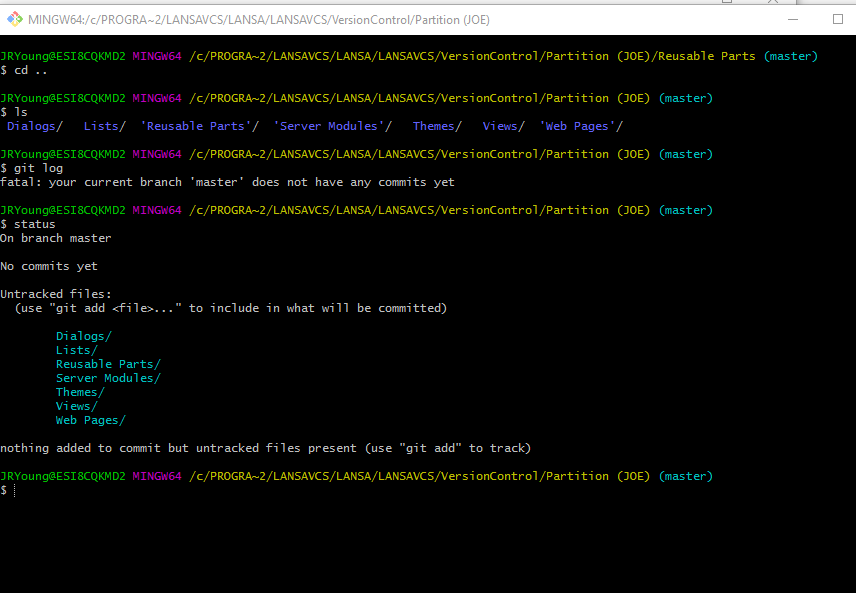
- bash.PNG (33.14 KiB) Viewed 23257 times
Now I can use `git add .` (note the period!) and then `git status` again. This is "staging" the files. You can have different actions staged before a commit. Things like new files, deleted files etc. Here the files have been added but NOT committed yet.
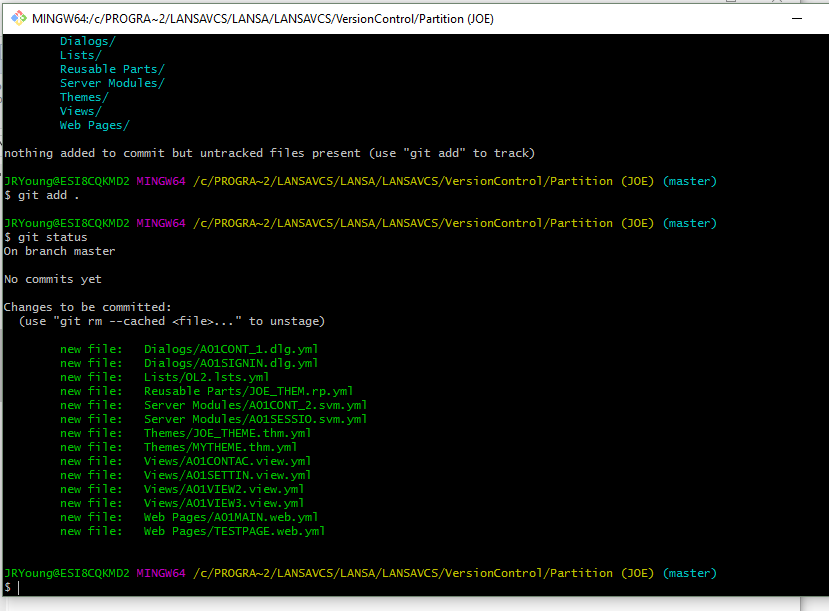
- git add.PNG (37.82 KiB) Viewed 23257 times
Then you can use `git commit -a -m 'my commit message'`
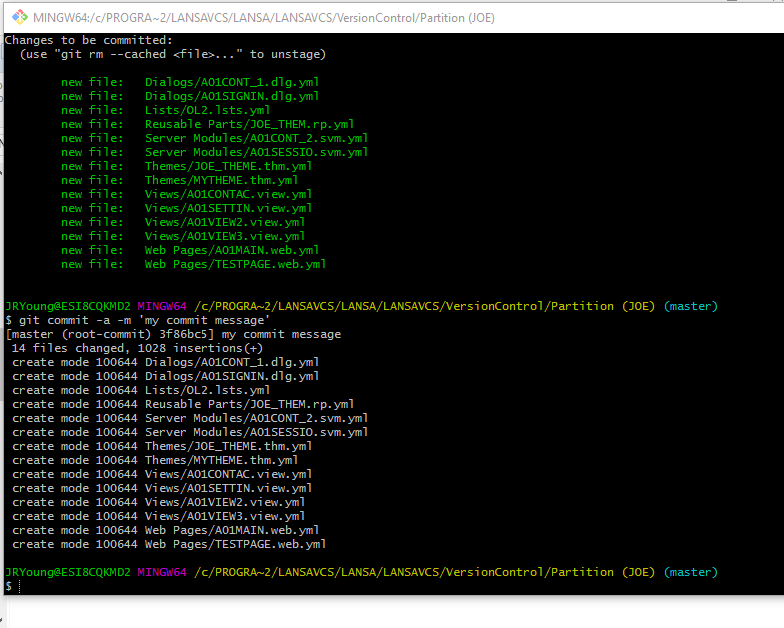
- git commit.PNG (48.45 KiB) Viewed 23257 times
Now git knows about the files and has them in its index. You should be able to see them in any Git tool you are using including Git Extensions.
Hope this helps,
Joe
Re: Who is doing Git?
Posted: Wed May 30, 2018 1:14 am
by atostaine
Thanks again Joe. Looks like it's working.
I was able now to go to LANSA and add another RP, then use the Git extensions that LANSA installed and commit it. Thanks!
Re: Who is doing Git?
Posted: Fri Jun 15, 2018 3:18 pm
by anthony
Hi Art,
you can also commit an object from inside the Visual LANSA IDE.
https://docs.lansa.com/14/en/lansa012/i ... l_0080.htm
Anthony
Re: Who is doing Git - and how does it get enabled?
Posted: Tue Jul 10, 2018 5:56 am
by stevelee67
i upgraded to 14.2 a few days ago and don't even see version control as an option. is this going to require a whole new install or is there another way to get this feature added?
Re: Who is doing Git?
Posted: Tue Jul 10, 2018 11:31 pm
by jyoung
Did you do an upgrade of a slave setup?
If so, the option will not show up.
I did separate install for the VCS setup.
Re: Who is doing Git - and how does it get enabled?
Posted: Tue Jul 10, 2018 11:35 pm
by atostaine
stevelee67 wrote: Tue Jul 10, 2018 5:56 am
i upgraded to 14.2 a few days ago and don't even see version control as an option. is this going to require a whole new install or is there another way to get this feature added?
Upgrade won't let you change the type of installation. You need to do a new install.