Page 1 of 1
Change the Opacity of Searching Text when using avGotoBusyState
Posted: Fri Feb 15, 2019 5:24 am
by caseywhite
Is there a way to change the opacity of the Searching text shown when using the avGotoBusyState in a filter? It is a bit faint when it is shown on subsequent searches while data is still in the instance list.
Re: Change the Opacity of Searching Text when using avGotoBusyState
Posted: Fri Feb 15, 2019 9:48 am
by MarkD
You can change the opacity of the whole busy overlay panel by altering property BusyOverlay_Opacity in your theme(s).
The shipped default is 30%.
That should, I think, also impact any text or images image it contains.
The busy overlay panel's real role is to prevent the user interacting with any controls that are underneath it while your application is busy.
That saves you from having individually disable the controls.
Lots of web applications don't bother with doing that and it leads to confusions like "Is it frozen?" or "What's it doing now?" or "Did I click Save or not?" on long server interactions as well as unexpected buttons clicks, etc.
Re: Change the Opacity of Searching Text when using avGotoBusyState
Posted: Fri Feb 15, 2019 10:35 am
by caseywhite
Thanks Mark. That works.
Re: Change the Opacity of Searching Text when using avGotoBusyState
Posted: Fri Feb 15, 2019 10:37 am
by MarkD
How much darker did you make it - it might be a better default in the next version?
Can you post a screen shot.
Re: Change the Opacity of Searching Text when using avGotoBusyState
Posted: Fri Feb 15, 2019 11:09 am
by caseywhite
Here is what it looks like at 80%. I thought it would be darker but this actually looks pretty good to me. I tried 50% but that didn't seem dark enough.
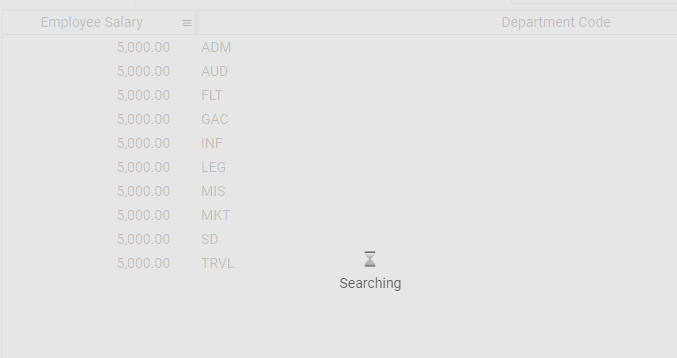
- OpacityExample80Pct.png (10.93 KiB) Viewed 8149 times