Page 1 of 1
Camera Control (SUPPORT ISSUE?)
Posted: Wed Aug 28, 2019 6:21 am
by atostaine
How can I set the image size directly? I guess the shipped example tries to figure out the size of the page and figure out the orientation.
I want to set the image size to 1920 x 1080. I manually changed the #CameraControl.SetImageSize to 1920 x 1080 but the captured image is 800x800.
Is there some where else I need to set the control? We are using LANSA Mobile on windows 10 so we have access to the device.
Thanks
Re: Camera Control
Posted: Wed Aug 28, 2019 9:51 am
by JamesDuignan
Hi Art,
I have done the previously.
A few considerations for I found for this are are:
Setting it correctly to landscape or portrait mode, easiest way i have found is just do the height vs width of the web page to determine it.
Secondly make sure you are setting the SetImageSize and SetImageBase64size properties of the widget.
So you should end up with code the looks like:
Code: Select all
If (#SYS_WEB.WebPage.Height > #SYS_WEB.WebPage.Width)

#Camera.SetImageSize Height(1920) Width(1080) Orientation(PORT)
#Camera.SetBase64ImageSize Height(1920) Width(1080) Orientation(PORT)

Else

#Camera.SetImageSize Height(1080) Width(1920) Orientation(LAND)
#Camera.SetBase64ImageSize Height(1080) Width(1920) Orientation(LAND)

Endif
If you want to see a working example of this check out the Accident Assessor sample application, in particular the xAACameraDialog , this Uses megapixels to determine the height and width of the image with an aspect ratio of 3:4, but other than that it is much the same as what you are trying to do.
Regards,
James Duignan
Re: Camera Control
Posted: Thu Aug 29, 2019 2:43 am
by atostaine
Thanks James. I have my width set to 1920 and height to 1080, but the pictures are 800 x 600. Our cameras our 1080p.
Re: Camera Control
Posted: Thu Aug 29, 2019 3:22 am
by atostaine
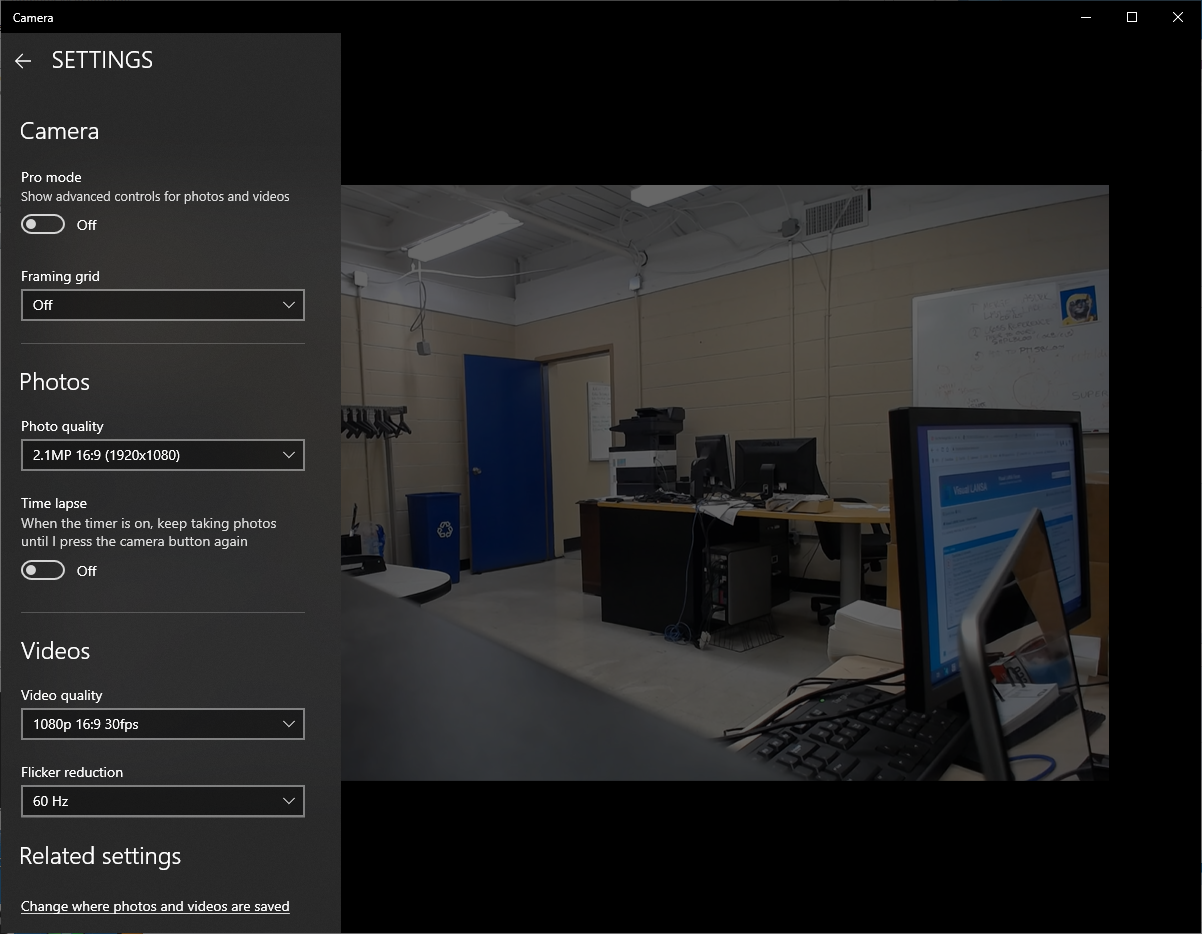
The windows camera app shows that it can capture at 2.1MP, 1920 x 1080.
- camera.png (689.01 KiB) Viewed 9114 times
Re: Camera Control
Posted: Fri Aug 30, 2019 10:21 am
by JamesDuignan
Hi Art,
I don't have a camera on my PC to try this out.
But as your values are being ignored it might be worth shooting this off to support.
Regards,
James
Re: Camera Control
Posted: Fri Aug 30, 2019 10:22 am
by atostaine
Thanks James I did.
Re: Camera Control (SUPPORT ISSUE?)
Posted: Wed Sep 04, 2019 1:17 am
by atostaine
Hoping to get some help on this, I submitted a case 00730183