Page 1 of 1
Lansa Package Manager keys (RESOLVED)
Posted: Mon Oct 07, 2019 12:29 pm
by adrian.bustillo
Hi!
I just wanted to know where the package manager keys being saved? Because we want to try using Google reCAPTCHA in a separate IBM i server. The package Manager can only run locally (thru LANSA IDE). Can we run this configuration thru different IBM i server? If not, can we just manually update the keys to where it is saved?
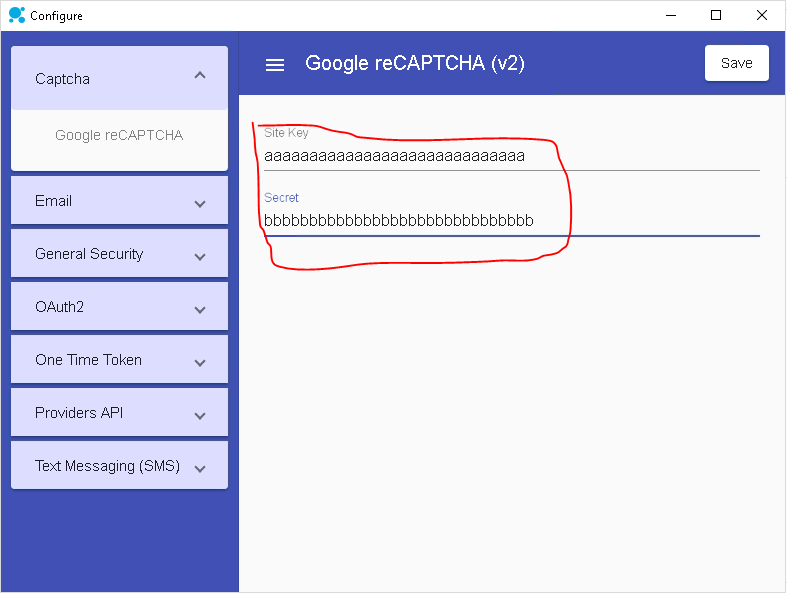
- lansa package manager keys.PNG (19.85 KiB) Viewed 14939 times
Re: Lansa Package Manager keys
Posted: Tue Oct 08, 2019 8:44 am
by JamesDuignan
Hi Adrian,
The file is called lansa_libs.config, this is located in the partition execute directory (...\x_win95\x_lansa\<x_prt>\execute). This can be copied to the IFS in the same relative location (.../ifs/lansa_<DEMPGMLIB>/x_lansa/<x_prt>/execute).
Another thing to note is that only the base level binary files for recaptcha and the other apis are shipped on the IBM i, these are the xprim_* components, so you will need to check in some of the components for this to work. (list below)
Another thing to make sure is that your recaptcha settings in your admin console for the API allows for the domain your IBM i server is on.
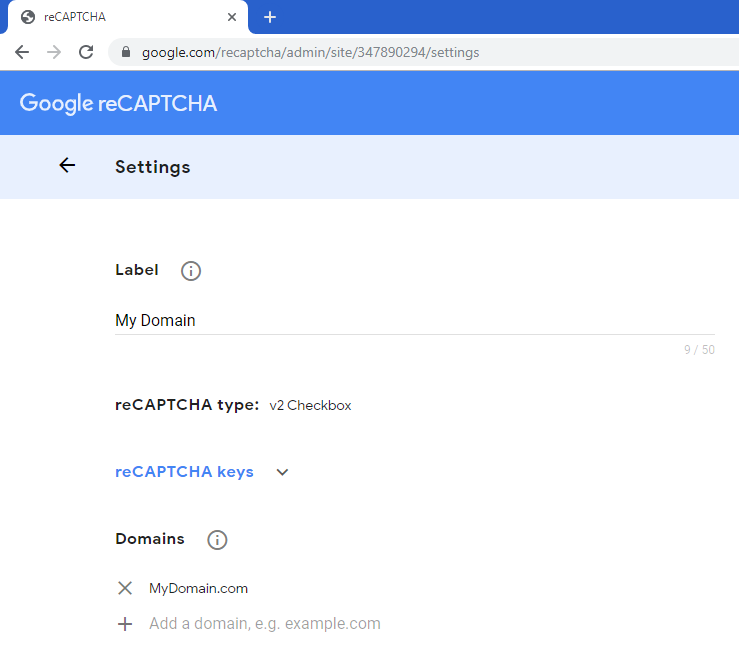
- adminconsole.PNG (23.42 KiB) Viewed 14908 times
This is what i believe is the list of components that will need to be checked in to run Recaptcha on the IBM i:
- XWS_BaseObject
XInternal_Settings_File
XInternal_Settings_Singleton
XWS_RequestStatus
XInternal_WebUtil
XInternal_Config_Clientside_Base
XInternal_Config_Clientside_Singleton_Base
XInternal_Google_ClientConfig
XInternal_Google_ClientConfig_Singleton
XWS_Settings_GoogleServices
XInternal_DynScript_GoogleRecaptcha
XWS_Google_Recaptcha
XWS_Google_RecaptchaV2Visual
Regards,
James Duignan
Re: Lansa Package Manager keys
Posted: Wed Oct 09, 2019 7:54 pm
by adrian.bustillo
Hi James,
Thank you for your response.
Unfortunately, It can't verify to the server side. I'm sure this works before because I have logs in google for the completed transactions (see chart below). It also cannot verify when I use the sample DEMO of Google reCAPTCHA from Package Manager. I'm not sure if the cause of the failing verification is when the I created External Resources for lansa_libs.config to check in the config to the IBM i.
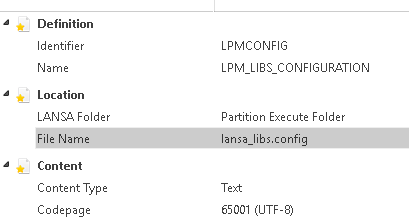
- lansa lib config.PNG (5.78 KiB) Viewed 14875 times
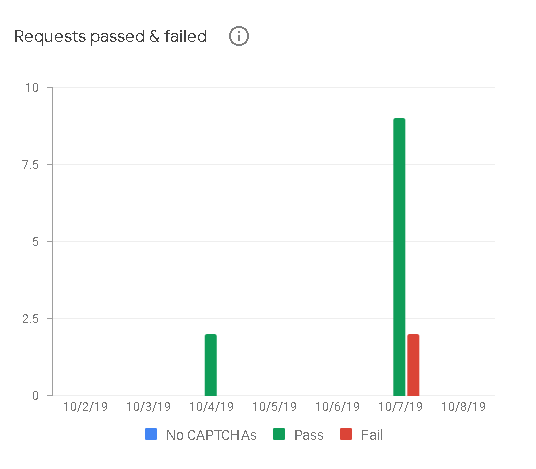
- google chart.PNG (6.17 KiB) Viewed 14875 times
Are there any logs when server verification call? So that I could confirm if it's using a correct secret key.
By the way the response of the verification from the Developer Tools is "FALSE".
Re: Lansa Package Manager keys
Posted: Thu Oct 10, 2019 11:46 am
by JamesDuignan
Hi,
Did the external resource get extracted on the server?
Was there any indication on the webpage that there was missing components, for instance there was a js crash? Did the recaptcha box just show up blank? Did is contain any messaged?
One object i forgot to mention would also need checking in is the widget XInternal_Google_Recaptcha_Widget_V2
Could you please provide more details about the implementation?
There is also a blog piece on the developer website about configuring recaptcha
https://developer.lansa.com/google-recaptcha/
Regards,
James
Re: Lansa Package Manager keys
Posted: Thu Oct 10, 2019 7:47 pm
by adrian.bustillo
Hi James,
I made a copy of objects xDemoGoogleRecaptchaV2ServerModule and XWS_Google_Recaptcha so I could debug freely the issue. I found out that it failed to call the GOOGLE VALIDATION RECAPTCHA API. For some weird reason THIS LINE don't work #Req.DoPost Url(#url), because the HttpStatusCode value is
0. (Please correct me if my analysis is wrong). I'm using Windows 10 OS. I don't know how does Server side LANSA call web service if they use CURL etc. Or missing missing any configuration or installation.
Code: Select all
Define_Com Class(#XPRIM_UriBuilder) Name(#Url)
#Url.SetScheme( 'https' )
#Url.SetHost( 'www.google.com' )
#Url.SetPath( '/recaptcha/api/siteverify' )

#Req.Content.AddUrlEncodedFormValue Name('secret') Value(#Settings.GetString( 'recaptcha/v2/secret' ))
#Req.Content.AddUrlEncodedFormValue Name('response') Value(#Response)
* #Req.DoPost Url('https://www.google.com/recaptcha/api/siteverify')
#Req.DoPost Url(#url)

* #COM_SELF.GetResponseFromHttpRequest Httpresponse(#Req.Response) Status(#Status) Loglabel(Validate-Recaptcha-Response) Jsonreader(#Json)

#errorCode := #req.Response.HttpStatusCode.AsString
* #errorCode  EQUALS TO 0
Re: Lansa Package Manager keys
Posted: Fri Oct 11, 2019 6:14 pm
by TonySupartono
If this is on the IBM i, the most likely reason the http request failed is due to Google’s CA certificate missing from the IBM i trusted certificate store, and you’d need to manually add it to the store.
If you don’t know how to do it, log a case with LANSA Support.
If that doesn’t help, enable logging. You can enable on the library level & underlying HTTP request level.
Start with enabling it on the library level.
To do that, place the following entry in your lansa_libs.config on the IBM i, just after the first opening curly-bracket:
Code: Select all
"lansa_xlog": {
        "logToFile": {
            "path": "/tmp/lansa_libs.log"
        }
  },
Make sure the JSON remains valid otherwise you will just make the situation worse.
To enable logging on the lower level, see below:
https://docs.lansa.com/14/en/lansa018/i ... %7C_____14
Re: Lansa Package Manager keys
Posted: Fri Oct 11, 2019 7:47 pm
by adrian.bustillo
Hi Tony,
It is confirmed from the logs that the error is because of Certificate. Thank you so much!