Page 1 of 1
Input fields in VL Web List
Posted: Wed Dec 04, 2019 7:48 pm
by Pratibha
Hi all,
I have a question. I have to create a list like this:
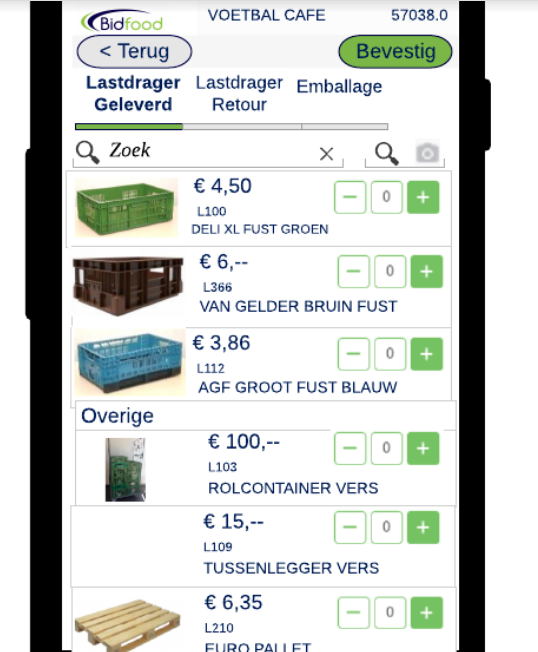
- Screen4.PNG (176.68 KiB) Viewed 12332 times
So, I have a minus and a plus button in the list, but ALSO an input field. Is that possible.
The problem is that I do not see the input field in my list. I see the field in the LANSA IDE, but when I run the application, the input field is gone:
IDE:
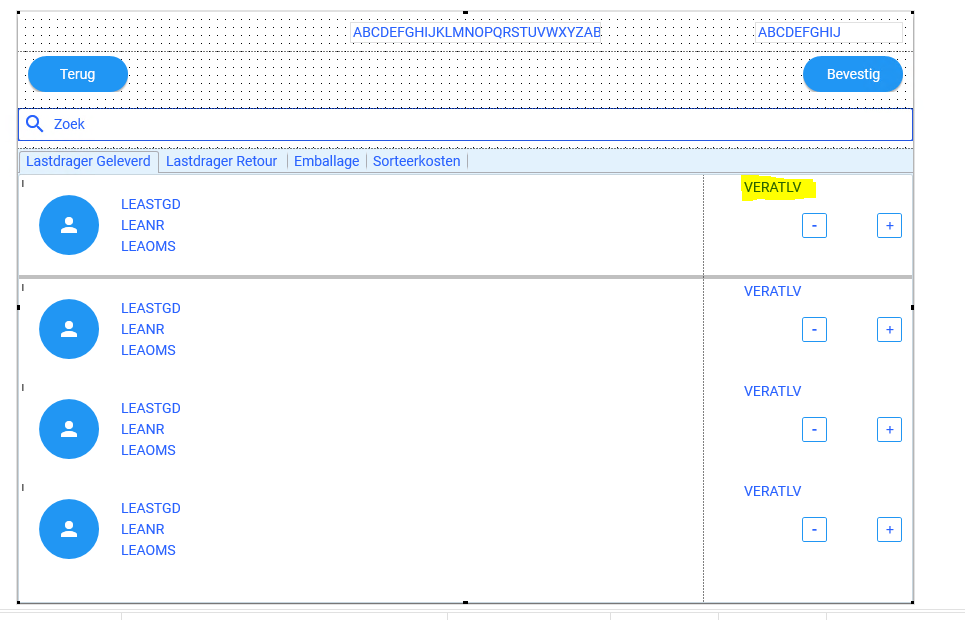
- Screen3.PNG (52.75 KiB) Viewed 12332 times
WHen I run it:
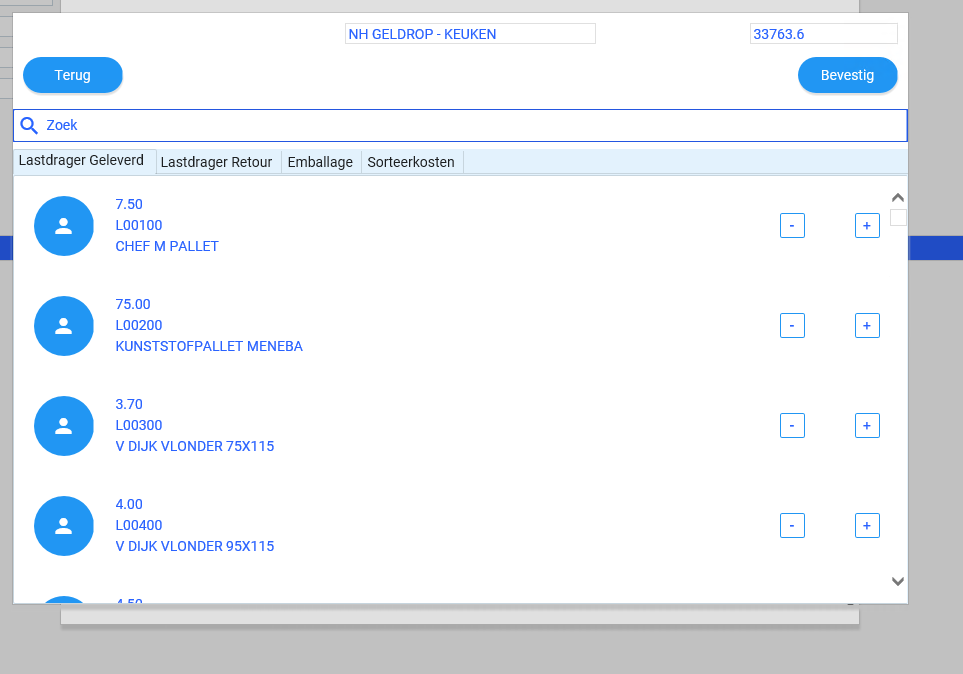
- screen2.PNG (31.77 KiB) Viewed 12332 times
Kind regards,
Pratibha
Re: Input fields in VL Web List
Posted: Wed Dec 04, 2019 8:21 pm
by kno_dk
Hi
I have this
Define_Com Class(#PRIM_LABL) Name(#Vare2KurvAntalPlus) Caption('+') Displayposition(2) Ellipses(Word) Height(25) Left(0) Parent(#Vare2KurvAntalPanel) Tabposition(2) Tabstop(False) Top(8) Verticalalignment(Center) Width(15) Alignment(Center) Themedrawstyle('Link')
Define_Com Class(#PRIM_LABL) Name(#Vare2KurvAntalMinus) Caption('-') Displayposition(3) Ellipses(Word) Height(25) Left(49) Parent(#Vare2KurvAntalPanel) Tabposition(3) Tabstop(False) Top(8) Verticalalignment(Center) Width(15) Alignment(Center) Themedrawstyle('Link')
Define_Com Class(#PRIM_EDIT) Name(#Vare1KurvAntalInput) Displayposition(4) Left(15) Parent(#Vare1KurvAntalPanel) Showselection(False) Showselectionhilight(False) Tabposition(4) Width(34) Top(8) Value('0')
So it is possible
Re: Input fields in VL Web List
Posted: Wed Dec 04, 2019 11:38 pm
by Pratibha
Hi,
My question was to put input field on a listview . How is that possible? The answer which you send is just a input field on a dialog/ form.
Regards,
Pratibha
Re: Input fields in VL Web List
Posted: Thu Dec 05, 2019 12:43 am
by Pablo
Hi Pratibha,
Drag one of the Input controls and drop it on your list:
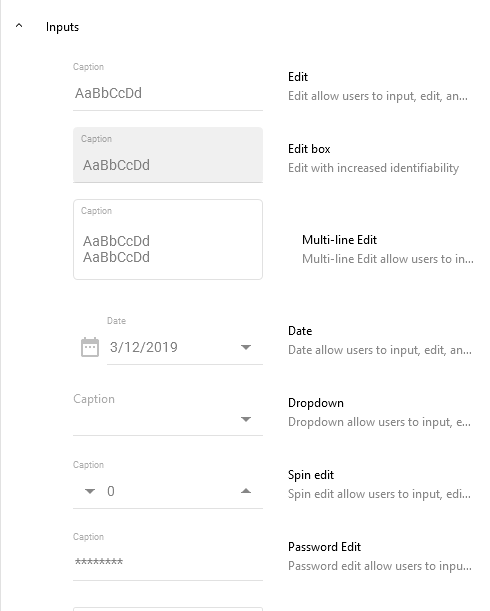
- InputControls.PNG (14.24 KiB) Viewed 12315 times
Regards,
Pablo
Re: Input fields in VL Web List
Posted: Thu Dec 05, 2019 6:26 pm
by Pratibha
Hello,
I have resolved it with spin edit as a input field on a listview. Normal input field was not visible.
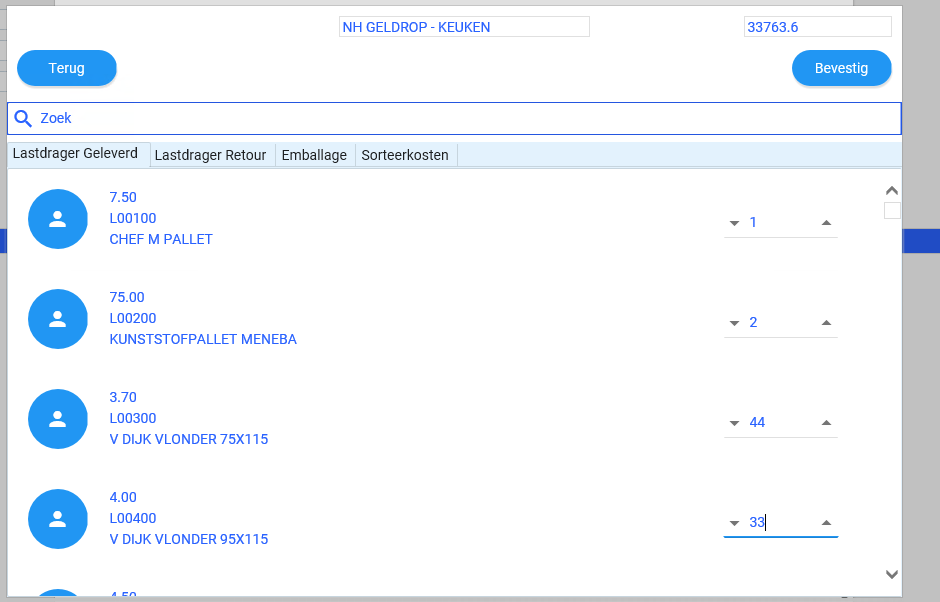
- screen1.PNG (26.53 KiB) Viewed 12281 times
Thank you,
Regards,
Pratibha
Re: Input fields in VL Web List
Posted: Mon Dec 09, 2019 1:29 pm
by Dominik
When you drag a field onto a PRIM_MD.List, by default it is added as a label (not an input field). If you look at the source code you will see it has a class #PRIM_MD.ListLabel. At design time it shows the field name, but at runtime it will be populated with the value of that field in the list. If you havent assigned a value to #VERATLV then it will display blank.
To add an input field to a PRIM_MD list, drag an input from the controls tab. Then while that input is highlighted, go to the Details tab and set the Source property to the field you want to use. In the case of your sample, you may want to set the CaptionPosition to None, Appearance TextFieldArea, DisplayAlignment Center and HelperPosition None.
Code: Select all
Define_Com Class(#PRIM_MD.ListEdit) Name(#ListQuantity1) Caption('Order Quantity') Displayposition(4) Dragstyle(None) Left(507) Parent(#List) Tabposition(8) Top(6) Source(#STD_NUM) Value('0') Appearance(TextFieldArea) Captionposition(None) Helperposition(None) Height(40) Width(40) Displayalignment(Center) Style(#Style1)
I have attached a sample of how this can work - i also included another way of doing it, using the a list item design as a separate component.