Page 1 of 1
【Material design】How to use the dropdown
Posted: Thu Dec 10, 2020 5:38 pm
by sohashi
How do I use the dropdown with Material Design?
I want to specify the focus in the dropdown.
For example, four values have been entered.
Example)
abc
efg←
hij
klm
I want to set the focus on the second efg.
Is there a good way to specify the focus?
Please do not specify by item count.
Is it possible for me to specify by value value?
Re: 【Material design】How to use the dropdown
Posted: Fri Dec 11, 2020 12:46 am
by Dino
Hi,
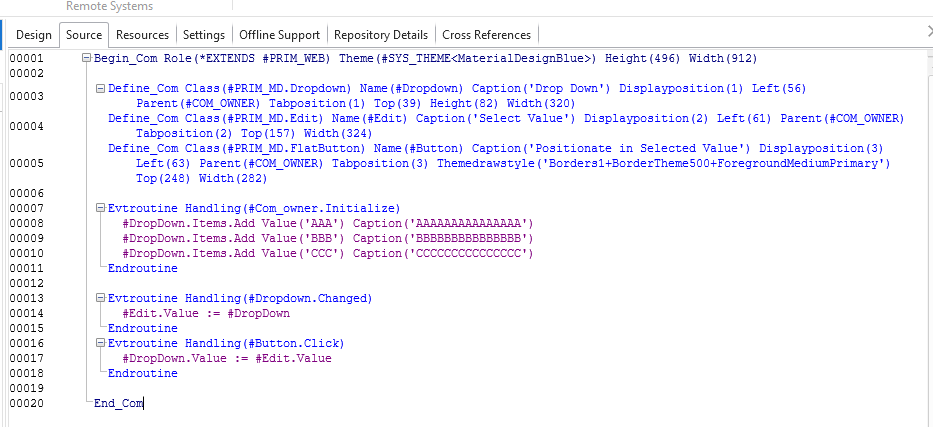
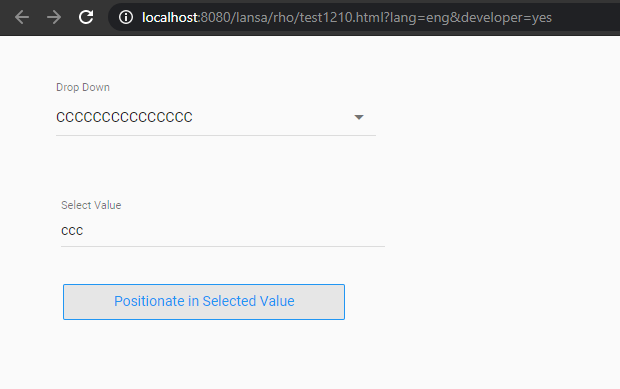
Yes, use the value property:
- dd1.png (37.27 KiB) Viewed 5364 times
Code: Select all
Begin_Com Role(*EXTENDS #PRIM_WEB) Theme(#SYS_THEME<MaterialDesignBlue>) Height(496) Width(912)

Define_Com Class(#PRIM_MD.Dropdown) Name(#Dropdown) Caption('Drop Down') Displayposition(1) Left(56) Parent(#COM_OWNER) Tabposition(1) Top(39) Height(82) Width(320)
Define_Com Class(#PRIM_MD.Edit) Name(#Edit) Caption('Select Value') Displayposition(2) Left(61) Parent(#COM_OWNER) Tabposition(2) Top(157) Width(324)
Define_Com Class(#PRIM_MD.FlatButton) Name(#Button) Caption('Positionate in Selected Value') Displayposition(3) Left(63) Parent(#COM_OWNER) Tabposition(3) Themedrawstyle('Borders1+BorderTheme500+ForegroundMediumPrimary') Top(248) Width(282)

Evtroutine Handling(#Com_owner.Initialize)
#DropDown.Items.Add Value('AAA') Caption('AAAAAAAAAAAAAAA')
#DropDown.Items.Add Value('BBB') Caption('BBBBBBBBBBBBBBB')
#DropDown.Items.Add Value('CCC') Caption('CCCCCCCCCCCCCCC')
Endroutine

Evtroutine Handling(#Dropdown.Changed)
#Edit.Value := #DropDown
Endroutine
Evtroutine Handling(#Button.Click)
#DropDown.Value := #Edit.Value
Endroutine

End_Com
- dd2.png (11.93 KiB) Viewed 5364 times
Re: 【Material design】How to use the dropdown
Posted: Mon Dec 14, 2020 6:34 pm
by sohashi
Hi
Thank you very much. It was helpful. Thank you for your consideration.