Page 1 of 1
Layout manager again
Posted: Sat Dec 12, 2020 8:17 am
by atostaine
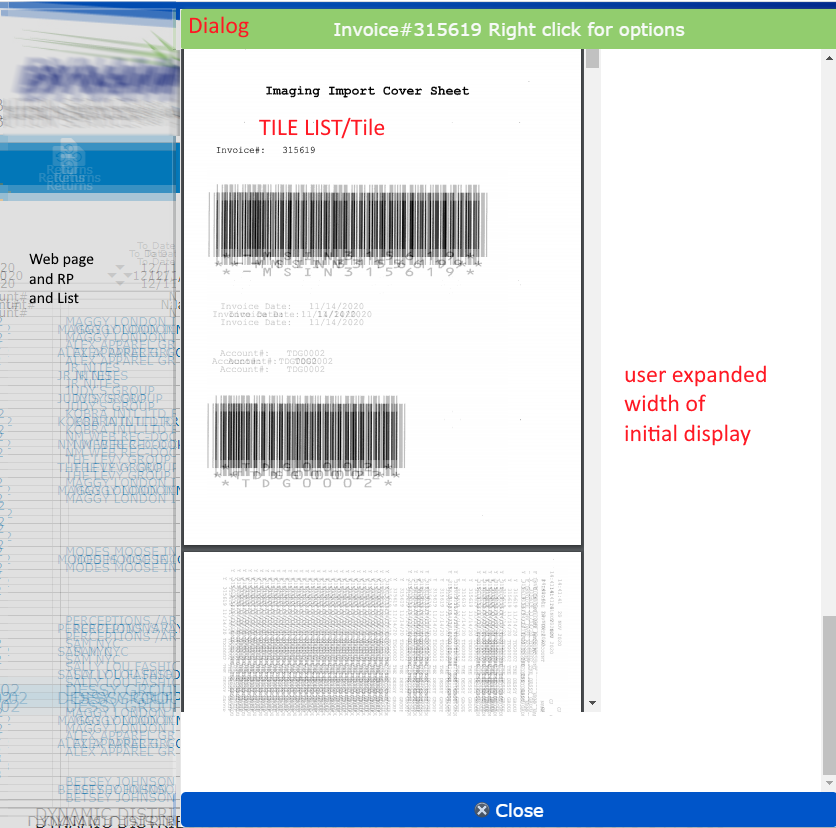
I always struggle with this. I have a web page, with a reusable part that displays a list.
If they click on an entry in the list, a dialog pops up with a tree view. The tree view list items are a web page.
No matter what size I make tile1, it won't shrink or expand.
RP1
--Dialog1
--Tile1 list (fit to both)
----tile1
------Web page (fit to both)
Any advice appreciated. Screen shot.
- list1.png (247.44 KiB) Viewed 12624 times
Re: Layout manager again
Posted: Sat Dec 12, 2020 1:24 pm
by Dino
Hi Art
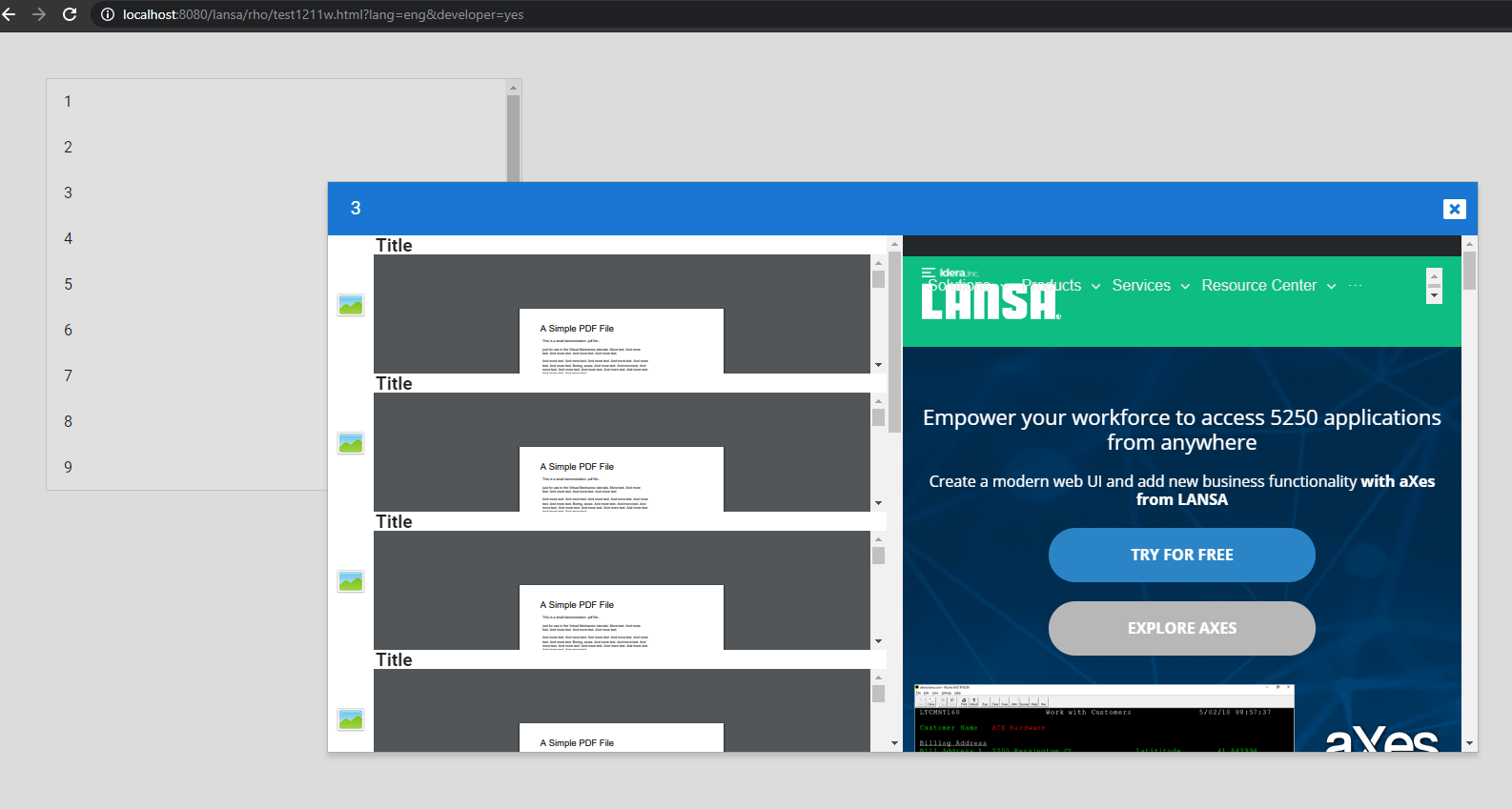
I reproduced the error at first, then notice my mistake. I forgot to put the tree in the layout row 2 column 1 for my example sized to both. After fixing that, is working fine with this code:
Web Page TEST1211WP:
Code: Select all
Begin_Com Role(*EXTENDS #PRIM_WEB) Theme(#SYS_THEME<MaterialDesignBlue>)

Define_Com Class(#test1211rp) Name(#test1211rp) Left(61) Parent(#COM_OWNER) Tabstop(False) Top(48) Height(433)
Define_Com Class(#test11dl) Name(#test11dl)

Evtroutine Handling(#Com_owner.Initialize)
#test1211rp.init
Endroutine

Evtroutine Handling(#test1211rp.ListItemClick) Std_Strng(#STD_STRNG)
#test11dl.init Std_Strng(#std_strng)
#test11dl.show
Endroutine
End_Com
Reusable Part TEST1211RP
Code: Select all
Function Options(*DIRECT)
Begin_Com Role(*EXTENDS #PRIM_PANL) Displayposition(1) Height(270) Left(0) Tabposition(1) Top(0) Width(500) Layoutmanager(#Layout)

Define_Com Class(#PRIM_TBLO) Name(#LayoutList)
Define_Com Class(#PRIM_TBLO.Column) Name(#LayoutListColumn1) Displayposition(1) Parent(#LayoutList)
Define_Com Class(#PRIM_TBLO.Row) Name(#LayoutListRow1) Displayposition(1) Parent(#LayoutList)
Define_Com Class(#PRIM_TBLO.Item) Name(#LayoutListItem1) Alignment(CenterLeft) Column(#LayoutListColumn1) Manage(#ListPrimaryText) Marginleft(16) Marginright(16) Parent(#LayoutList) Row(#LayoutListRow1) Sizing(ContentHeightFitToWidth)

Define_Com Class(#PRIM_TBLO) Name(#Layout)
Define_Com Class(#PRIM_TBLO.Column) Name(#LayoutColumn1) Displayposition(1) Parent(#Layout)
Define_Com Class(#PRIM_TBLO.Row) Name(#LayoutRow1) Displayposition(1) Parent(#Layout)
Define_Com Class(#PRIM_TBLO.Item) Name(#LayoutItem1) Manage(#List) Parent(#Layout) Row(#LayoutRow1) Column(#LayoutColumn1)

Define_Com Class(#PRIM_MD.List) Name(#List) Displayposition(1) Layoutmanager(#LayoutList) Left(0) Parent(#COM_OWNER) Rowheight(48) Tabposition(1) Themedrawstyle('Card') Top(0) Height(270) Width(500)
Define_Com Class(#PRIM_MD.ListLabel) Name(#ListPrimaryText) Caption('Single line item') Displayposition(1) Height(24) Left(16) Parent(#List) Tabposition(1) Themedrawstyle('Heading3') Top(12) Width(466)

Define_Evt Name(ListItemClick)
Define_Map For(*INPUT) Class(#std_strng)

Mthroutine Name(init)
Begin_Loop Using(#std_count) To(10)
#ListPrimaryText.Caption := #std_count.asstring
Add_Entry
End_Loop
Endroutine
Evtroutine Handling(#List.ItemClick)
Signal Event(ListItemClick) Std_Strng(#ListPrimaryText.CurrentItem.Caption)
Endroutine
End_Com
Dialog TEST1211DL:
Code: Select all
Begin_Com Role(*EXTENDS #PRIM_DLG) Height(600) Width(600) Layoutmanager(#Layout) Touchsize(All) Touchmove(Both)

Define_Com Class(#PRIM_TBLO) Name(#AppbarLayout)
Define_Com Class(#PRIM_TBLO.Column) Name(#AppbarLayoutColumn1) Displayposition(1) Parent(#AppbarLayout)
Define_Com Class(#PRIM_TBLO.Row) Name(#AppbarLayoutRow1) Displayposition(1) Parent(#AppbarLayout)
Define_Com Class(#PRIM_TBLO.Item) Name(#AppbarLayoutItem1) Alignment(CenterRight) Column(#AppbarLayoutColumn1) Flow(Left) Manage(#MenuIcon) Parent(#AppbarLayout) Row(#AppbarLayoutRow1) Sizing(None)

Define_Com Class(#PRIM_TBLO) Name(#Layout)
Define_Com Class(#PRIM_TBLO.Column) Name(#LayoutColumn1) Displayposition(1) Parent(#Layout)
Define_Com Class(#PRIM_TBLO.Column) Name(#LayoutColumn2) Displayposition(2) Parent(#Layout)
Define_Com Class(#PRIM_TBLO.Row) Name(#LayoutRow1) Displayposition(1) Parent(#Layout) Height(56) Units(Pixels)
Define_Com Class(#PRIM_TBLO.Row) Name(#LayoutRow2) Displayposition(2) Parent(#Layout) Height(1.63)
Define_Com Class(#PRIM_TBLO.Item) Name(#LayoutItem1) Manage(#Appbar) Parent(#Layout) Row(#LayoutRow1) Column(#LayoutColumn1) Columnspan(2)
Define_Com Class(#PRIM_TBLO.Item) Name(#LayoutItem2) Parent(#Layout) Row(#LayoutRow2) Column(#LayoutColumn1)
Define_Com Class(#PRIM_TBLO.Item) Name(#LayoutItem3) Manage(#Page1) Parent(#Layout) Row(#LayoutRow2) Column(#LayoutColumn2)
Define_Com Class(#PRIM_TBLO.Item) Name(#LayoutItem4) Manage(#Tree1) Parent(#Layout) Row(#LayoutRow2) Column(#LayoutColumn1)

Define_Com Class(#PRIM_MD.AppBar) Name(#Appbar) Caption('Title') Displayposition(1) Layoutmanager(#AppbarLayout) Parent(#COM_OWNER) Tabposition(1) Themedrawstyle('Heading2') Width(598)
Define_Com Class(#PRIM_MD.Icon) Name(#MenuIcon) Displayposition(1) Icon('fa-window-close') Left(550) Parent(#Appbar) Tabposition(1) Top(4)
Define_Com Class(#PRIM_TREE<#TEST1211TR>) Name(#Tree1) Displayposition(2) Left(0) Parent(#COM_OWNER) Tabposition(2) Top(56) Height(542) Width(299)
Define_Com Class(#PRIM_WEB.Page) Name(#Page1) Description('Web Page') Displayposition(3) Height(542) Left(299) Parent(#COM_OWNER) Tabposition(3) Tabstop(False) Top(56) Width(299)

Mthroutine Name(init)
Define_Map For(*INPUT) Class(#std_strng)
#Appbar.Caption := #std_strng
#Page1.Source := "http://www.lansa.com"
Inz_List Named(#Tree1) Num_Entrys(10)
Endroutine
Evtroutine Handling(#MenuIcon.Click)
#COM_OWNER.Close
Endroutine
Evtroutine Handling(#COM_OWNER.SizeChanged)

Endroutine
End_Com
Tree Tile TEST1211TR:
Code: Select all
Function Options(*DIRECT)
Begin_Com Role(*EXTENDS #PRIM_PANL *implements #Prim_Tree.iTreeDesign *ListFields #ListFields) Displayposition(1) Height(145) Layoutmanager(#Table) Left(0) Tabposition(1) Top(0) Width(301) Themedrawstyle('ListItem')

* Simple design for an item in a Prim_Tree
* An instance will be created for each item added to the Tree
* Implements the iTreeDesign interface allowing the Tree to communicate with the design instance

* Fields mapped in when the entry is added to the Tree
Group_By Name(#ListFields) Fields(#std_text)

Define_Com Class(#PRIM_PANL) Name(#ImagePanel) Displayposition(1) Image(#xImageImage32) Left(0) Parent(#COM_OWNER) Tabposition(1) Tabstop(False) Top(0) Width(48) Height(145)
Define_Com Class(#PRIM_LABL) Name(#Title) Caption('Title') Displayposition(2) Ellipses(Word) Height(20) Left(48) Marginleft(2) Parent(#COM_OWNER) Tabposition(2) Tabstop(False) Top(0) Verticalalignment(Center) Width(253) Themedrawstyle('Strong+Heading2')

Define_Com Class(#Prim_tblo) Name(#Table)
Define_Com Class(#Prim_tblo.Column) Name(#Column1) Parent(#Table) Units(Pixels) Width(48) Displayposition(1)
Define_Com Class(#Prim_tblo.Column) Name(#Column2) Parent(#Table) Displayposition(2)
Define_Com Class(#Prim_tblo.Row) Name(#Row1) Height(20) Parent(#Table) Units(Pixels) Displayposition(1)
Define_Com Class(#Prim_tblo.Row) Name(#Row2) Parent(#Table) Displayposition(2)

Define_Com Class(#Prim_tblo.item) Name(#Item1) Column(#Column1) Manage(#ImagePanel) Parent(#Table) Row(#Row1) Rowspan(2)
Define_Com Class(#Prim_tblo.item) Name(#Item2) Column(#Column2) Manage(#Title) Parent(#Table) Row(#Row1)
Define_Com Class(#PRIM_TBLO.Item) Name(#TableItem1) Manage(#Page1) Parent(#Table) Row(#Row2) Column(#Column2)

Define_Com Class(#PRIM_WEB.Page) Name(#Page1) Description('Web Page') Displayposition(3) Height(125) Parent(#COM_OWNER) Tabposition(3) Tabstop(False) Top(20) Width(253) Left(48)


Mthroutine Name(OnAdd) Options(*REDEFINE)
#Page1.Source := 'http://www.africau.edu/images/default/sample.pdf'

Endroutine

End_Com
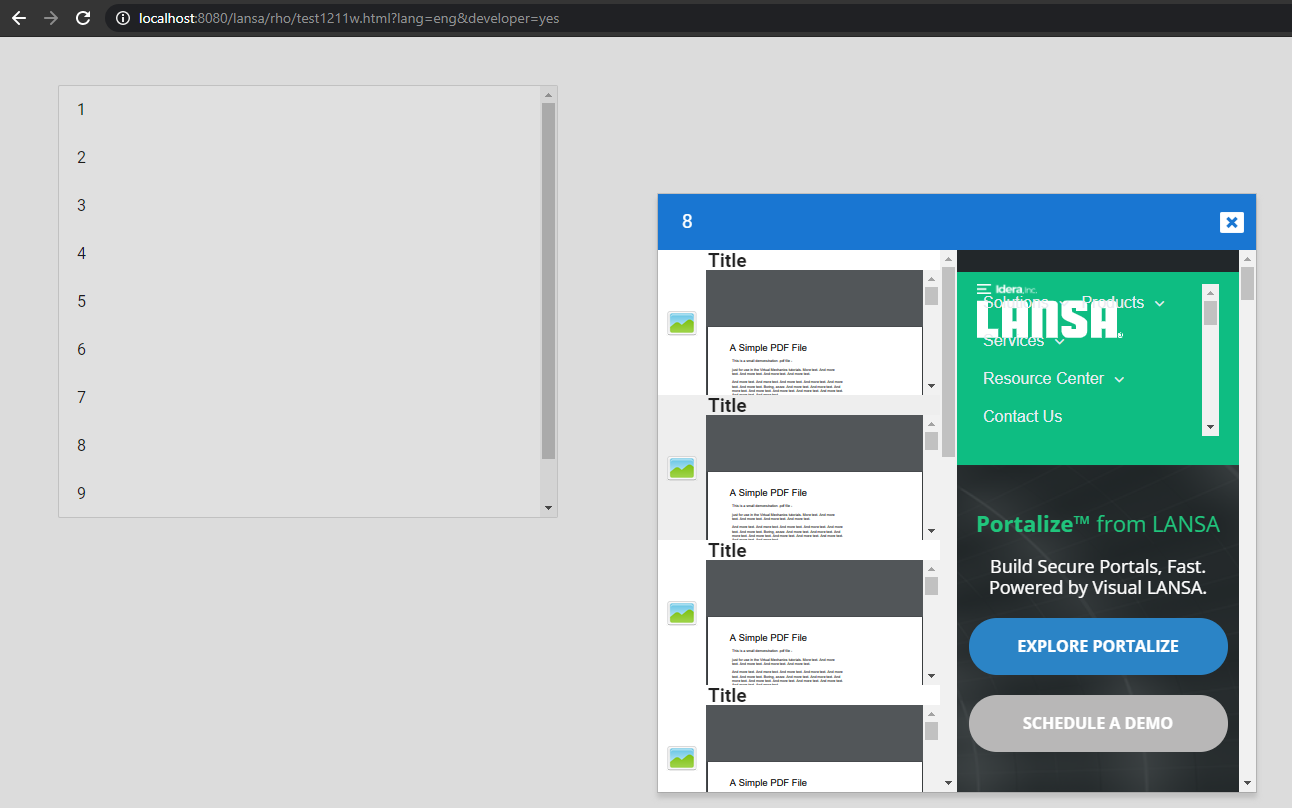
Before resizing the dialog on execution:
- dialogresizing2.png (95.7 KiB) Viewed 12618 times
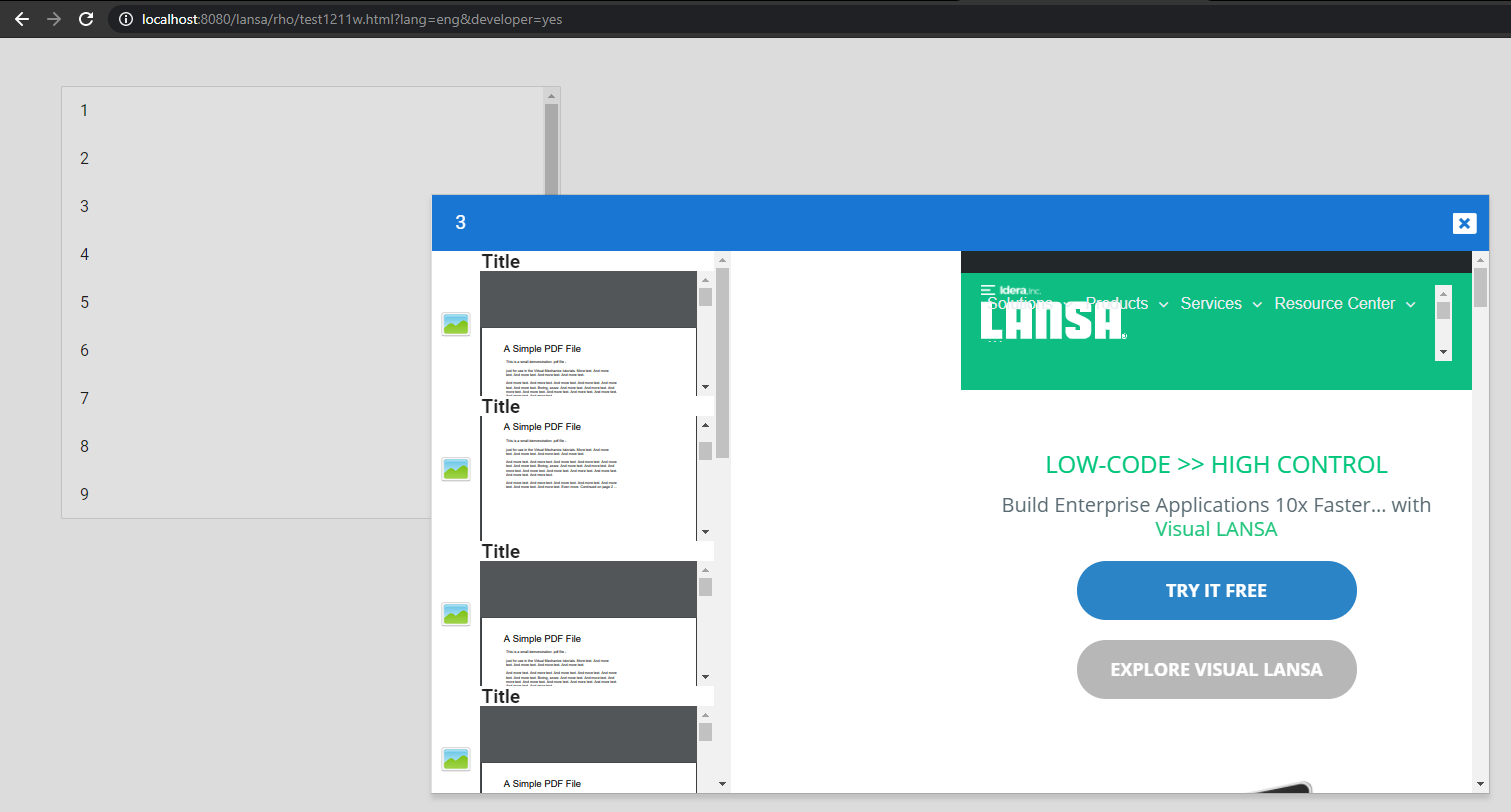
after resizing on execution when I forgot to add the tree to the layout:
- dialogresizing1.png (63.22 KiB) Viewed 12618 times
After fixing the mistake:
- dialogresizing3.png (177.51 KiB) Viewed 12618 times
Re: Layout manager again
Posted: Sat Dec 12, 2020 1:31 pm
by Dino
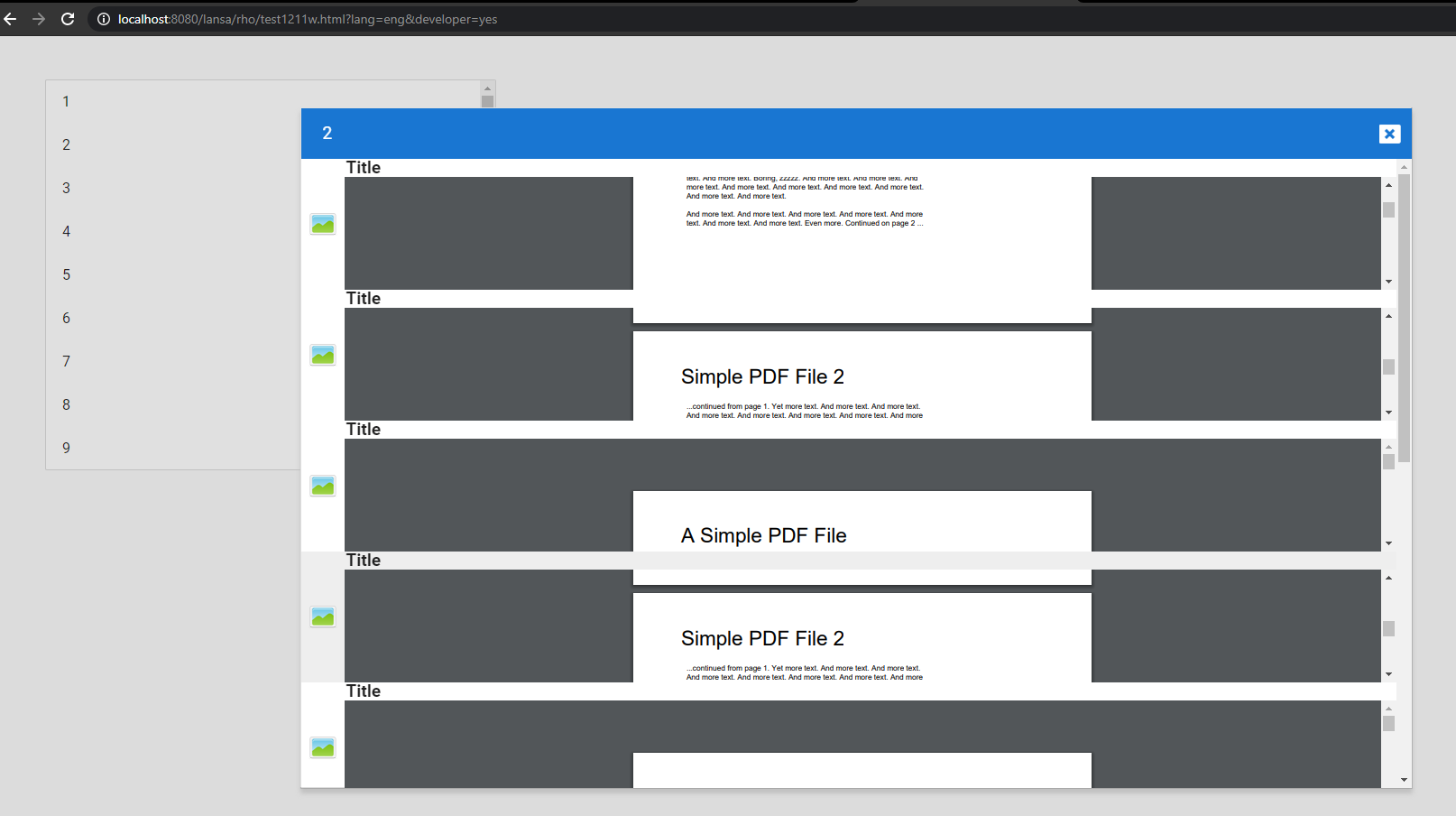
just in case a missunderstood what you are trying to do, here is just the dialog with a tree inside. web page inside the tiles, but not a second webpage next to the tree. notice that in the initial example i used 2 rows 2 columns, where first row was for my title, second row first column sized both for tree, second row second column sized both for the webpage.
The next dialog is just 2 rows 1 column, one row for the title, another sized to both for the tree:
Code: Select all
Begin_Com Role(*EXTENDS #PRIM_DLG) Height(600) Width(600) Layoutmanager(#Layout) Touchsize(All) Touchmove(Both)

Define_Com Class(#PRIM_TBLO) Name(#AppbarLayout)
Define_Com Class(#PRIM_TBLO.Column) Name(#AppbarLayoutColumn1) Displayposition(1) Parent(#AppbarLayout)
Define_Com Class(#PRIM_TBLO.Row) Name(#AppbarLayoutRow1) Displayposition(1) Parent(#AppbarLayout)
Define_Com Class(#PRIM_TBLO.Item) Name(#AppbarLayoutItem1) Alignment(CenterRight) Column(#AppbarLayoutColumn1) Flow(Left) Manage(#MenuIcon) Parent(#AppbarLayout) Row(#AppbarLayoutRow1) Sizing(None)

Define_Com Class(#PRIM_TBLO) Name(#Layout)
Define_Com Class(#PRIM_TBLO.Column) Name(#LayoutColumn1) Displayposition(1) Parent(#Layout)
Define_Com Class(#PRIM_TBLO.Row) Name(#LayoutRow1) Displayposition(1) Parent(#Layout) Height(56) Units(Pixels)
Define_Com Class(#PRIM_TBLO.Row) Name(#LayoutRow2) Displayposition(2) Parent(#Layout) Height(1.63)
Define_Com Class(#PRIM_TBLO.Item) Name(#LayoutItem1) Manage(#Appbar) Parent(#Layout) Row(#LayoutRow1) Column(#LayoutColumn1) Columnspan(2)
Define_Com Class(#PRIM_TBLO.Item) Name(#LayoutItem2) Parent(#Layout) Row(#LayoutRow2) Column(#LayoutColumn1)
Define_Com Class(#PRIM_TBLO.Item) Name(#LayoutItem4) Manage(#Tree1) Parent(#Layout) Row(#LayoutRow2) Column(#LayoutColumn1)

Define_Com Class(#PRIM_MD.AppBar) Name(#Appbar) Caption('Title') Displayposition(1) Layoutmanager(#AppbarLayout) Parent(#COM_OWNER) Tabposition(1) Themedrawstyle('Heading2') Width(598)
Define_Com Class(#PRIM_MD.Icon) Name(#MenuIcon) Displayposition(1) Icon('fa-window-close') Left(550) Parent(#Appbar) Tabposition(1) Top(4)
Define_Com Class(#PRIM_TREE<#TEST1211TR>) Name(#Tree1) Displayposition(2) Left(0) Parent(#COM_OWNER) Tabposition(2) Top(56) Height(542) Width(598)

Mthroutine Name(init)
Define_Map For(*INPUT) Class(#std_strng)
#Appbar.Caption := #std_strng
Inz_List Named(#Tree1) Num_Entrys(10)
Endroutine
Evtroutine Handling(#MenuIcon.Click)
#COM_OWNER.Close
Endroutine
Evtroutine Handling(#COM_OWNER.SizeChanged)

Endroutine
End_Com
- dialogresizing4.png (48.99 KiB) Viewed 12617 times
Re: Layout manager again
Posted: Sat Dec 12, 2020 2:43 pm
by atostaine
Thank you Dino. I'll get to test this tomorrow.
Re: Layout manager again
Posted: Wed Feb 03, 2021 7:39 am
by atostaine
Hi Dino: I would like the PDF in column 2 to expand. The sample you sent it doesn't expand. It stays in the center.
I can resize the dialog but I have a feeling that users won't know how to do that. Is it possible to get the dialog to resize when the parent browser window resiszes?
Re: Layout manager again
Posted: Wed Feb 03, 2021 1:02 pm
by Dino
Hi Art
If I resize my tile in the LANSA Editor, and recompile, for example to this size 497x353:
Code: Select all
Begin_Com Role(*EXTENDS #PRIM_PANL *implements #Prim_Tree.iTreeDesign *ListFields #ListFields) Displayposition(1) Height(497) Layoutmanager(#Table) Left(0) Tabposition(1) Top(0) Width(353) Themedrawstyle('ListItem')
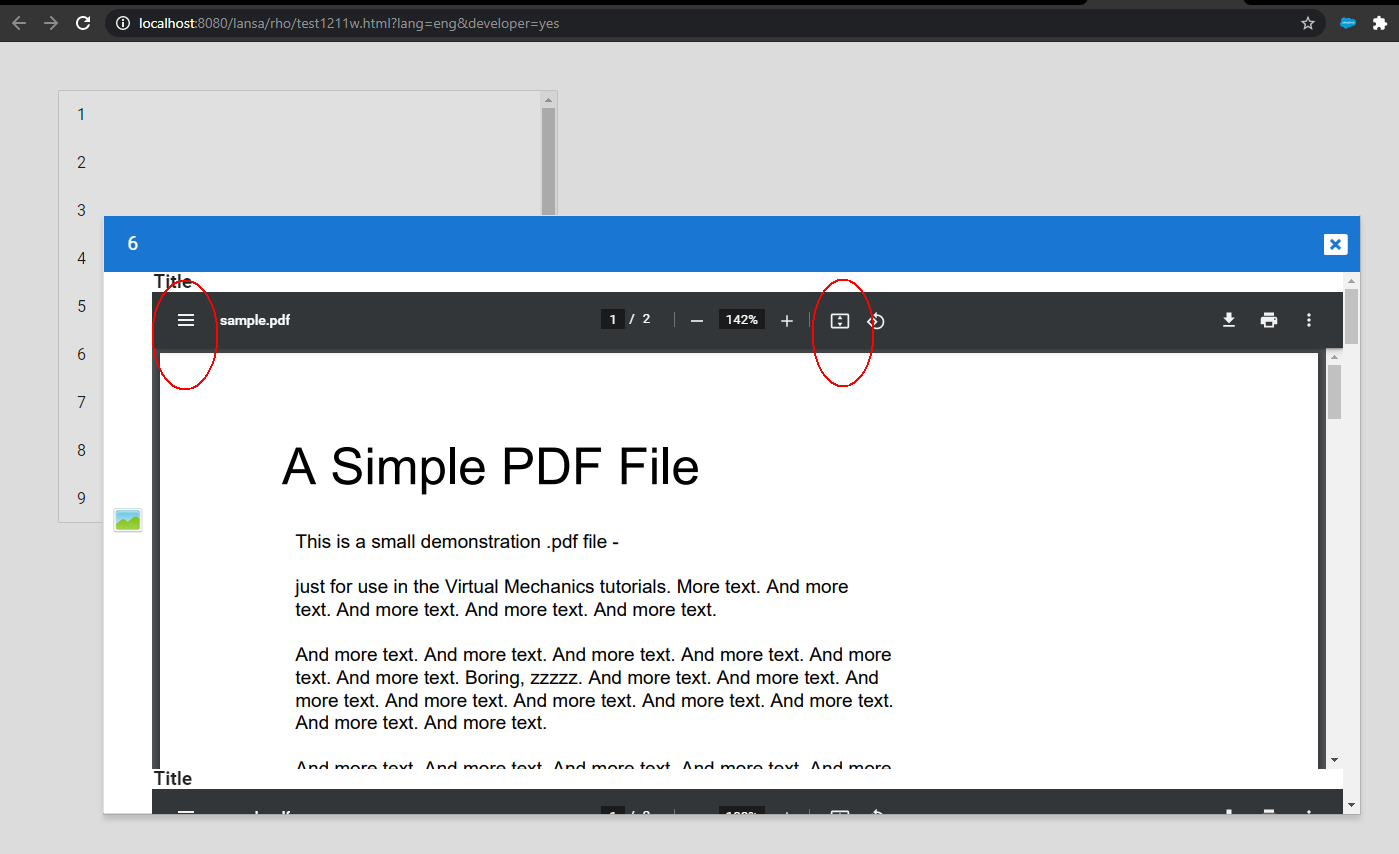
I notice that several controls appear, between them the one that allows you to fit to height or width, plus the navegation on the left... looks like depending on the proportions of the browser window (this case inside the dialog/tile) to display the pdf, it acts differently (responsively):
- pdfdialog1.png (58.94 KiB) Viewed 12316 times
you can use the icon in the corner left to hide or show the miniature display, and you can use the square icon to change to full width or full height.
I notice if I start to play with the browser and expand the window the dialog goes with it, responsively.
And yes, you have an event sizechanged in the dialog that you can use for more fine control. But sending a signal to that PDF will be another thing.... like telling it to start fit to width with miniature hidden... looks like there are some options out there for parameters:
https://www.codexworld.com/embed-pdf-do ... -web-page/
Re: Layout manager again
Posted: Wed Feb 03, 2021 1:06 pm
by Dino
yes, it works, just add the parameters to it and you are golden:
Code: Select all
#Page1.Source := 'http://www.africau.edu/images/default/sample.pdf#toolbar=0&navpanes=0&scrollbar=0'