Page 1 of 1
IDE on Windows 11
Posted: Thu Oct 06, 2022 2:18 am
by atostaine
I had V14 SP2 working on win 11 early on. I had a problem testing something and lost my ODBC data source. I recreated it but now everything I try to do in the IDE is slow. Starting it up takes 20-30 seconds. Executing a form taxes the same amount of time before the form even shows.
Any idea what setting I might have missed in the ODBC configuration that is causing this? Thanks
Re: IDE on Windows 11
Posted: Thu Oct 06, 2022 5:09 am
by René Houba
Hi Art, can you show screenshots of your ODBC settings, so I can compare these with my 14.2 ODBC settings.
Re: IDE on Windows 11
Posted: Thu Oct 06, 2022 6:17 am
by atostaine
Yes I should have done that. Everything is slow, including compiling and checking in. I'm looking towards the ODBC config because that's the only thing that changed.
Re: IDE on Windows 11
Posted: Thu Oct 06, 2022 7:40 am
by René Houba
Hi Art,
Can you also show me the System DSN tabsheet or tell me the driver version?
Re: IDE on Windows 11
Posted: Thu Oct 06, 2022 7:43 am
by atostaine
If I try to click configure button with 64 bit driver selected I get System error code 193
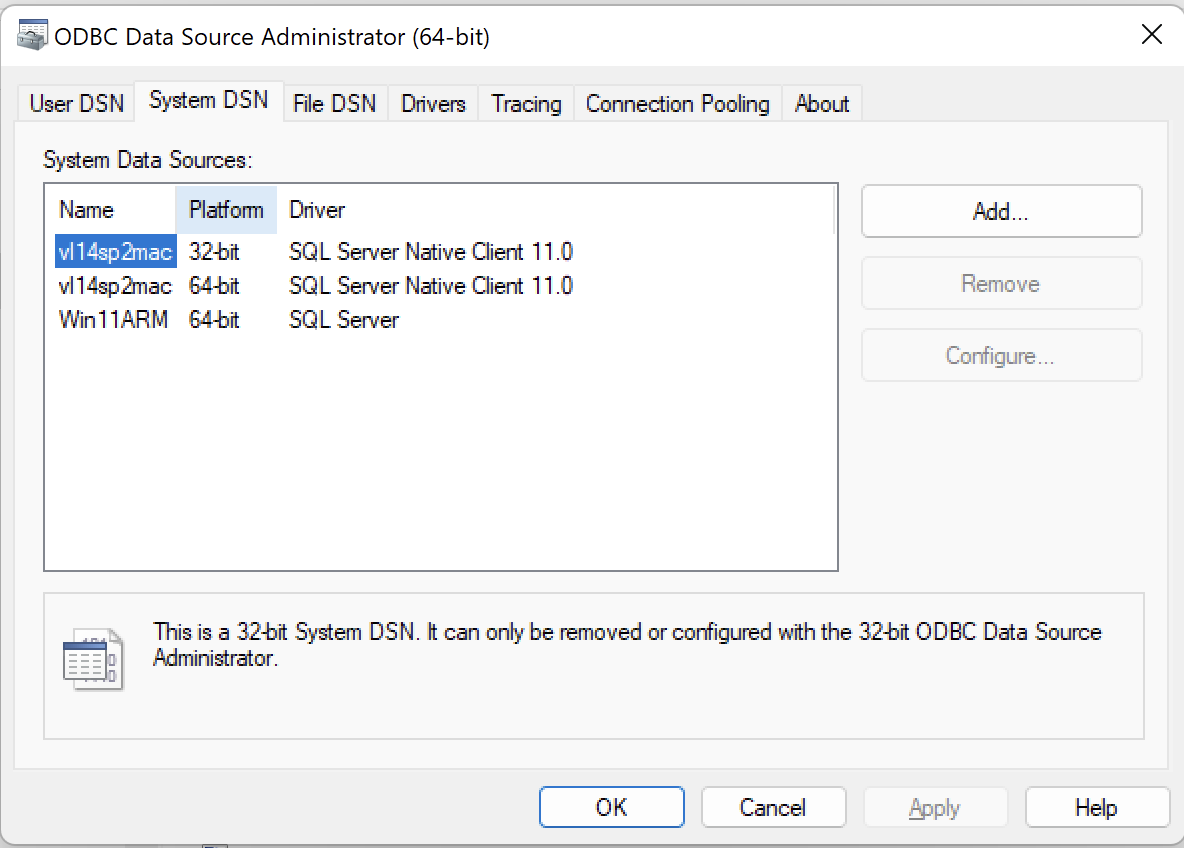
- Screen Shot 2022-10-05 at 4.41.50 PM.png (58.41 KiB) Viewed 22148 times
Re: IDE on Windows 11
Posted: Thu Oct 06, 2022 9:45 am
by Dino
Hi Art
If you are trying to open the 32 bit odbc connection, use the 32 odbc manager...
odbcad32
Re: IDE on Windows 11
Posted: Thu Oct 06, 2022 9:49 am
by atostaine
Yes that’s the screen shots I posted. Was just mentioning that was giving an error.
Re: IDE on Windows 11
Posted: Fri Oct 14, 2022 3:53 am
by atostaine
I had a user DSN as well as a system DSN. As soon as I deleted the user DSN everything went back to normal.
Re: IDE on Windows 11
Posted: Tue Nov 22, 2022 2:40 am
by adale
Art,
What version of MS SQL server are you using? I tried to install MS SQL 2019 in Windows 11 Pro, but could not get it to install.
Re: IDE on Windows 11
Posted: Tue Nov 22, 2022 4:51 am
by atostaine
Microsoft SQL Server Management Studio 12.0.4100.1
Microsoft Analysis Services Client Tools 12.0.4100.1
Microsoft Data Access Components (MDAC) 10.0.22000.1219
Microsoft MSXML 3.0 6.0
Microsoft Internet Explorer 9.11.22000.0
Microsoft .NET Framework 4.0.30319.42000
Operating System 6.3.22000