Page 1 of 1
Single FullScreen VLF-Win form
Posted: Fri Oct 06, 2023 6:07 pm
by jtaljaard
Hi
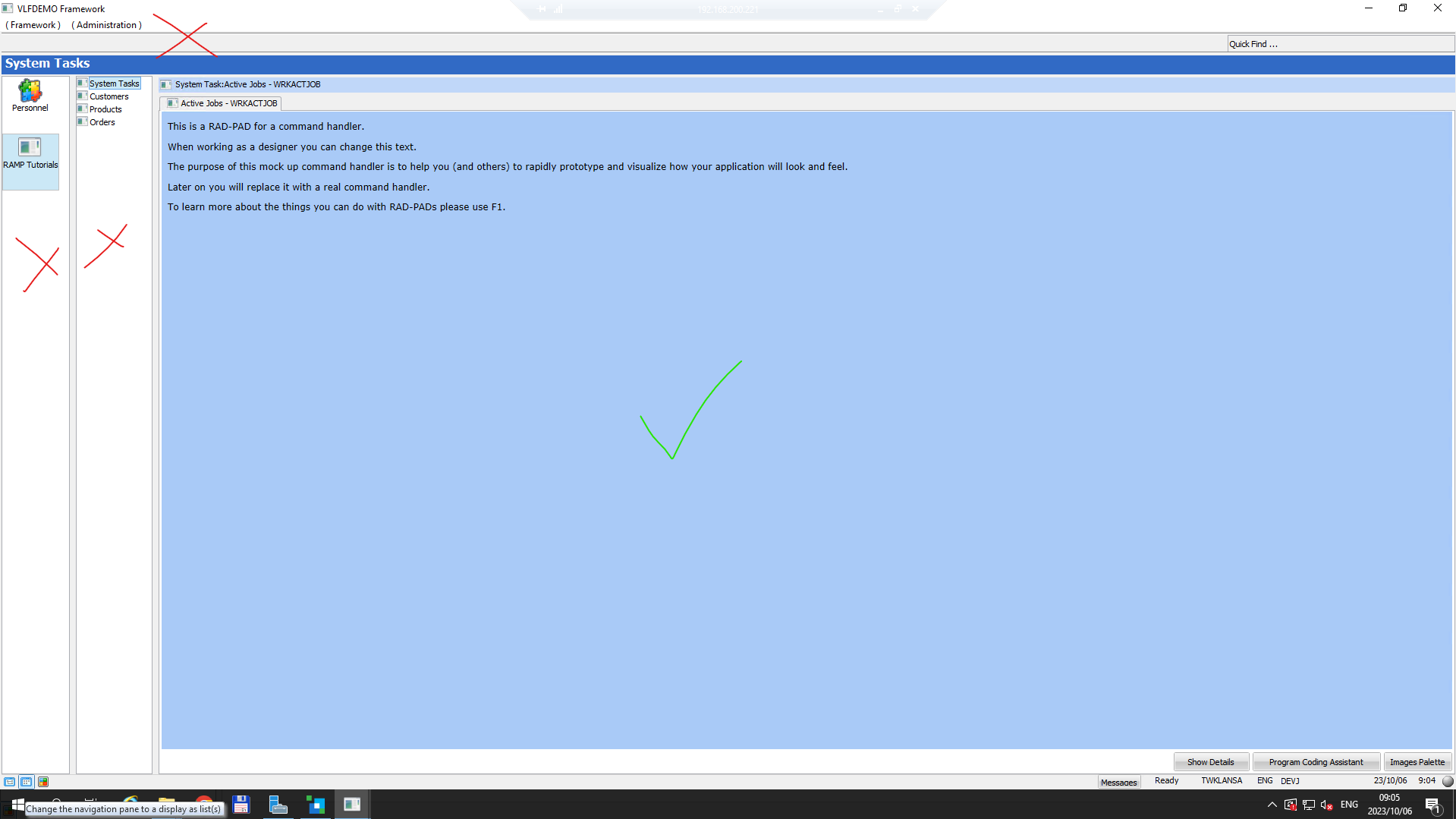
Just want to know if it is possible to have a single fullscreen screen wrapper displayed when executing a Form through RAMP. I don't want the Application and Business Objects section displayed:
- Screenshot 2023-10-06 090413.png (88.7 KiB) Viewed 21022 times
Based on the example above, the red X means they shouldn't be displayed and the green tick means that is the only screen that must be shown upon launch, which is the screen wrapper.
Re: Single FullScreen VLF-Win form
Posted: Tue Oct 10, 2023 6:45 am
by davidbalansa
Hi,
You can try this in your VLF-WIN framework:
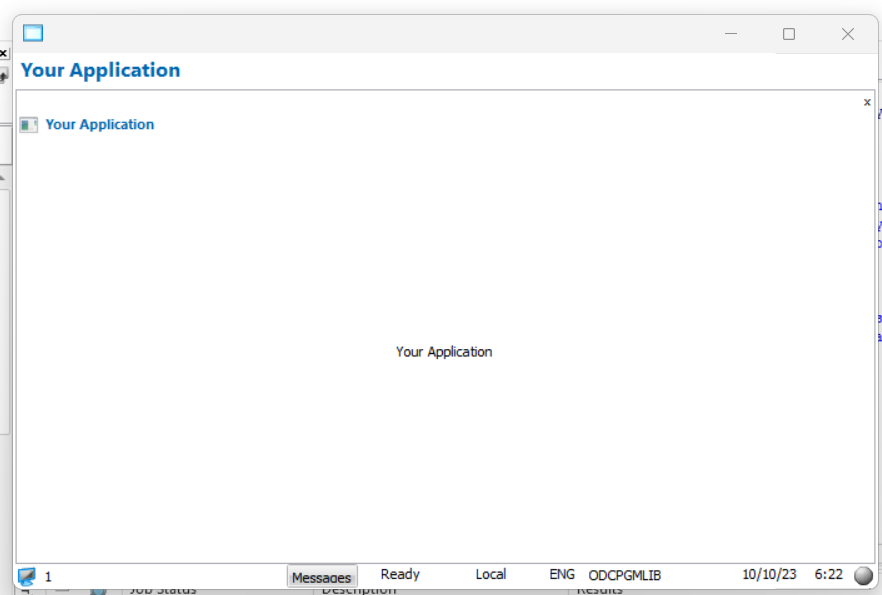
- Create a single application with a single business level command handler. Remove everything else.
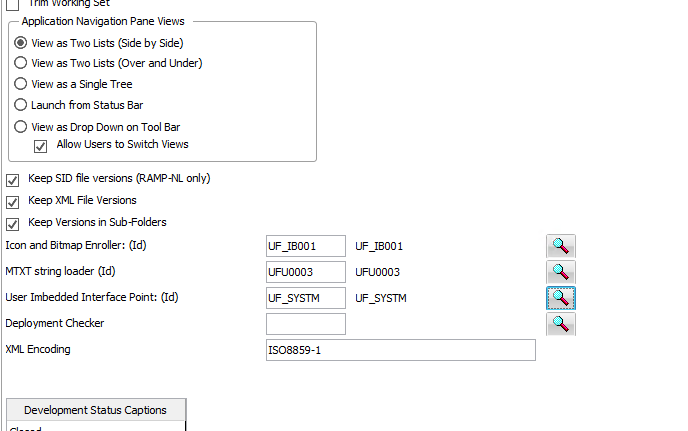
- In the User Imbedded Interface Point (IIP) component use the framework switch method to switch to your command handler in the avMainWindowReady method.
- In the framework properties set the 'Application navigation pane views' to 'Launch from status bar'
- Screenshot.png (36.36 KiB) Viewed 20931 times
Hope this helps
Re: Single FullScreen VLF-Win form
Posted: Fri Oct 13, 2023 7:36 pm
by jtaljaard
Hi David, thanks so much!
Can you explain more about what you mean:
- In the User Imbedded Interface Point (IIP) component use the framework switch method to switch to your command handler in the
avMainWindowReady method.
I found it in the Framework details:
- Screenshot 2023-10-13 103545.png (31.16 KiB) Viewed 20861 times
Re: Single FullScreen VLF-Win form
Posted: Fri Oct 13, 2023 7:41 pm
by jtaljaard
Can a reusable part(screen wrapper) be launched on Framework startups?
Re: Single FullScreen VLF-Win form
Posted: Thu Oct 26, 2023 9:40 am
by davidbalansa
Responding to your previous post.
You have located the User Imbedded Interface Point in the VLFWIN properties. Copy this component and replace the properties component name with your component.
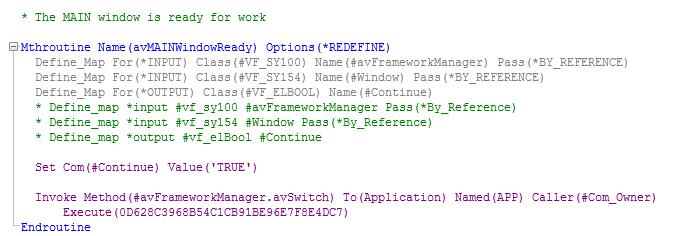
In the avMAINWindowReady add code to switch to your application / command handler. The value will be specific to your internal identifiers used for your application and command handler.
- Screenshot 2023-10-26.png (20.33 KiB) Viewed 16017 times
Here are some links to the avSwitch method in the documentation:
https://docs.lansa.com/15/en/lansa048/i ... _1675.htm?
https://docs.lansa.com/15/en/lansa048/i ... _1690.htm?
Hope this helps.