Page 1 of 1
Multiple input fields on windows
Posted: Fri May 10, 2024 6:35 am
by atostaine
I have a customer who wants a selection of up to 100 numbers for selection. It's ridiculous but it's what they want.
I could manually place 100 fields there or copy/paste the fields many times but that doesn't seem like the right way to do it. I've done something similar a long time ago using a collection. I was using the old layout manager back then.
I had 3 collections, one for the RP I was placing on the form multiple times, plus 2 more for each layout manager and layout item.
Is that still the best way to do it (using the new layout manager)?
Thanks for any ideas/comments. Example attached
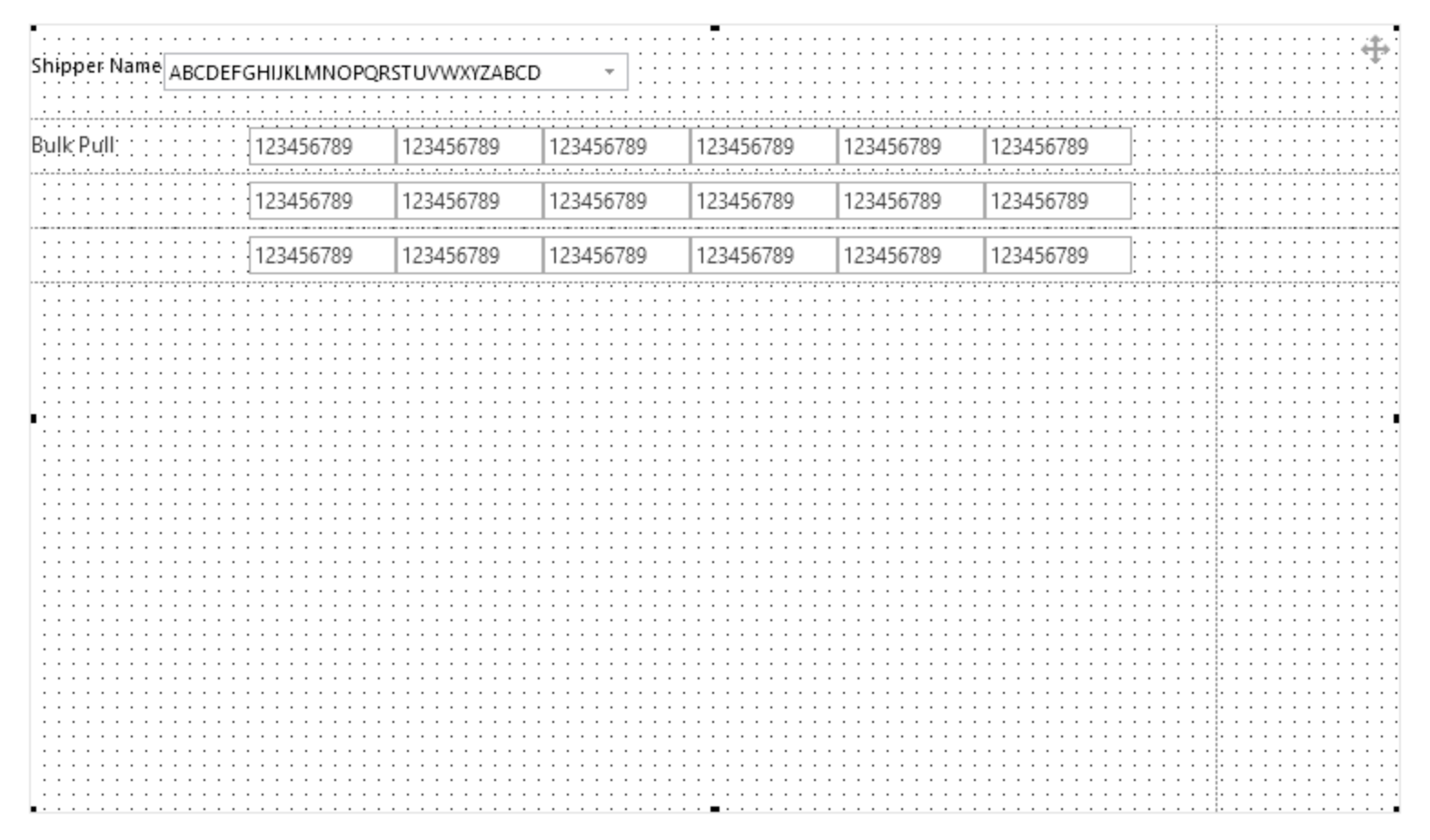
- Screenshot 2024-05-09 at 4.34.10 PM.png (78.89 KiB) Viewed 24973 times
Re: Multiple input fields on windows
Posted: Fri May 10, 2024 9:06 am
by BrendanB
Art,
using 3 collections and manually inserting them is one way to do it...
you could also consider using a #PRIM_LIST where each entry contains the necessary objects... eg. if those are buttons or fields, then each entry just has a known width and you can use the known width to calculate how many columns you need for the list... if you do the calculation dynamically, it can modify the number of columns as the page shrinks and grows... (#List.ItemsPerRow or something like that...).
then you just need to populate your list (if everything gets the default value, you might be able to do it using INZ_LIST )
if it needs to be more 'custom' than #prim_list gives you, try using #prim_tree (which can also have columns..)
bb.
Re: Multiple input fields on windows
Posted: Fri May 10, 2024 10:26 am
by atostaine
Thanks Brendan. I was considering a list but they will be scanning the entries probably 1-2 per second on average and I'm not in love with the way the cursor will move around in the list.
I'll have to test that again though.
Re: Multiple input fields on windows
Posted: Sat May 11, 2024 4:44 am
by atostaine
Customer doesn't want list interface. Trying to do the collection and getting an error in the IDE before compiling. #SDEXP01 is just a 7 digit numeric field.
Code: Select all
Define_Com Class(#PRIM_KCOL<#PRIM_TBLO.item #Counter>) Name(#FMTTBLO) Style(Collection)
Define_Com Class(#PRIM_KCOL<#SDEXP01 #counter>) Name(#FMTWAV) Style(Collection)

Evtroutine Handling(#COM_OWNER.Initialize) Options(*NOCLEARMESSAGES *NOCLEARERRORS)
Begin_Loop Using(#COUNTER) To(6)
Set_Ref Com(#FMTTBLO<#counter>) To(*CREATE_AS #prim_tblo.item)
Set_Ref Com(#FMTWAV<#counter>) To(*CREATE_AS #sdexp01)
Set Com(#FMTTBLO<#counter>) Row(#LayoutRow6) Parent(#layout) Column(#LayoutColumn2) Alignment(CenterLeft) Flow(Right) Manage(#fmtwav<#counter>)
End_Loop
Endroutine
Any idea what I'm doing wrong. TBH I don't do collections much.
Re: Multiple input fields on windows
Posted: Sat May 11, 2024 6:51 am
by caseywhite
Art, have you tried #fmtwav<> (no #counter).
Re: Multiple input fields on windows
Posted: Sat May 11, 2024 7:56 am
by caseywhite
Art. Check out
viewtopic.php?f=3&t=1937&p=4925&hilit=D ... TION#p4925
This may help. I think the problem though is that example uses a primitive button. Your RP could have a class of primitive button but you say your RP is just a numeric field so it probably won't work. That being said I saw some other collection examples on the forum that might be helpful.