Page 1 of 1
PWA - Install Using Chrome
Posted: Mon Sep 16, 2024 6:46 pm
by Speedlime
Morning
I am having a issue installing my PWA onto my desktop.
Having created my Offline Support (Web App Manifest/Service worker) Like this .
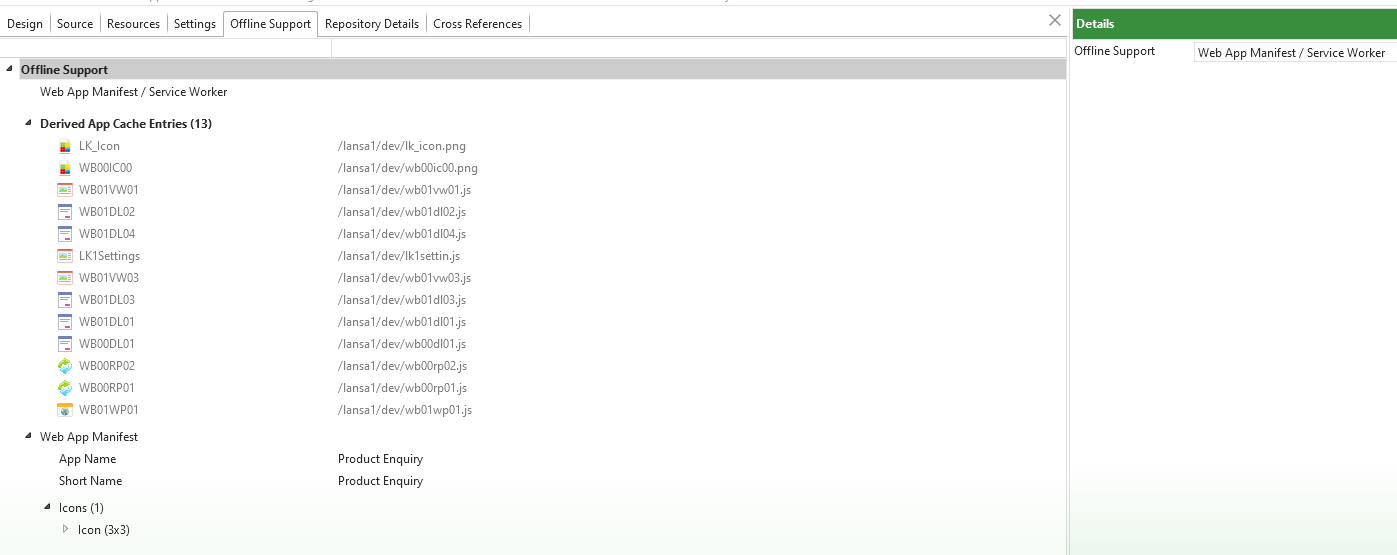
- offline Support.png (37.32 KiB) Viewed 16706 times
When I go into Chrome to install the PWA onto my desktop the option is not available, I am expecting a Install PWAxxxxxx below the Find
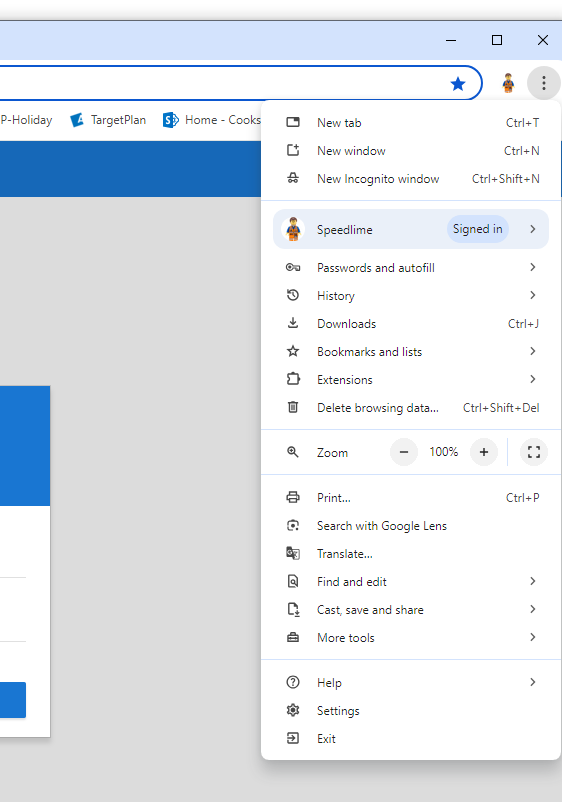
- offline Support-Chrome install.png (39.98 KiB) Viewed 16706 times
Is this a Chrome issue or is something missing in the LANSA Offline Support.
Any help will be appreciated. Thanks
Re: PWA - Install Using Chrome
Posted: Mon Sep 16, 2024 10:32 pm
by adale
I don't know that it is a Chrome issue. I did a quick test with one of my VL web apps that is PWA enabled, and in Chrome it shows the "install" icon in the browser bar, and if I click on it, it brings up the Install dialog. I also tested in the Brave browser (another chromium browser), and it performed the same way with the install icon in the browser bar.
Windows PC v10 Pro, chrome v 128.0.6613.138
Was the vl app originally compiled and checked in without the offline support? could the earlier version still be in cache?
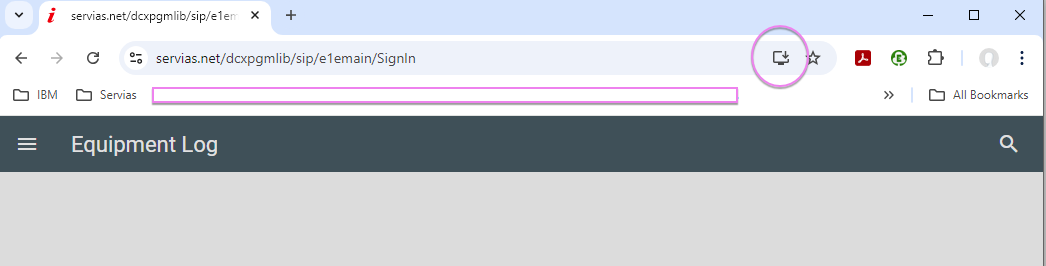
- chome pwa install icon.png (21.88 KiB) Viewed 16701 times
Re: PWA - Install Using Chrome
Posted: Tue Sep 17, 2024 12:13 am
by Speedlime
Thanks for the reply, some good questions.
The vl web objects where compiled and checked in loads of times during development, it was only at the end that I wanted to test PWA app stuff so I added the offline support, as I was going to put the app onto a android device, but wanted to make sure it worked on the desktop first.
In Chrome I do not get that install icon as you show either. The test server is not secure, not sure if that has any baring, however when I call the url in Edge I do get the option in the apps section menu to view it as a app but not install it as a app ?? It is almost like it does not know the web site has off line support enabled. I can clear the browser cache, not sure where on the iSeries I do that.
Re: PWA - Install Using Chrome
Posted: Tue Sep 17, 2024 12:45 am
by Speedlime
Update!
Ok I deleted the offline support from my web page, and then added it again and checked in.
Now when I run Chrome and open the url I get the option under Cast Save and Share to generated the app.
I can only think something went missing when I added offline support the first time around.
Thanks for the help.