VLWeb Material Design Numeric field remove leading zero

This Q&A forum allows users to post and respond to "How Do I Do ....." questions. Please do not use to report (suspected) errors - you must use your regional help desk for this. The information contained in this forum has not been validated by LANSA and, as such, LANSA cannot guarantee the accuracy of the information.
Post Reply
jyoung
Posts: 694
Joined: Thu Jan 21, 2016 6:43 am
Location: Oklahoma City, OK USA

VLWeb Material Design Numeric field remove leading zero

Post by jyoung »

I feel like I've had to deal with this before with the traditional controls but can't recall or find it. Now I am having this issue with the Material Design controls.

When displaying a numeric field, here the Office Number, a 0 (zero) is the default because the "Default Value" of the field is *ZERO
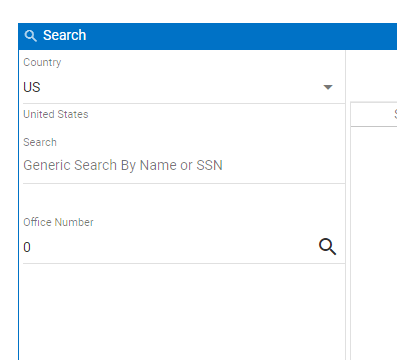
capture1.PNG
capture1.PNG (7.85 KiB) Viewed 6600 times
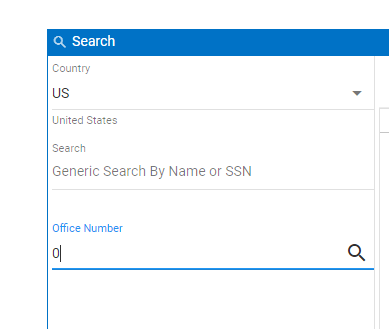
My issue is when I put the cursor into the field, the 0 is there creating a leading zero. That's fine for mathematical ops, but for identifiers not so much, as leading zeros can be significant.
capture2.PNG
capture2.PNG (7.15 KiB) Viewed 6600 times
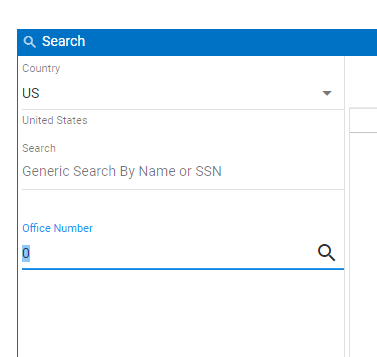
I need it to select the entire field so that when the user starts typing, the field contains ONLY what the user has entered, i.e. no leading zero.
capture3.PNG
capture3.PNG (7.29 KiB) Viewed 6600 times
Double clicking will select the whole field, but my user's should have to do that.

Do I have to programmaticly select the whole field when they click it? I feel like there should be an attribute or property to control that.
atostaine
Posts: 696
Joined: Wed Jan 20, 2016 7:38 am

Re: VLWeb Material Design Numeric field remove leading zero

Post by atostaine »

Do you have an edit code on the field? You would want a Z

Back in the 5250 days, some users just couldn't handle field exit (which would right justify the field, like a calculator almost). Sometimes we would just use a work field to accept characters and then edit it to what we needed.

In lansa of course very easy.

if #workfield.isNumber
#number := #workfield.asNumber
endIf
Art Tostaine
jyoung
Posts: 694
Joined: Thu Jan 21, 2016 6:43 am
Location: Oklahoma City, OK USA

Re: VLWeb Material Design Numeric field remove leading zero

Post by jyoung »

I knew it had to be something like that.

Thanks Art!
atostaine
Posts: 696
Joined: Wed Jan 20, 2016 7:38 am

Re: VLWeb Material Design Numeric field remove leading zero

Post by atostaine »

Edit codes may be 40 years old, but they are pretty cool. :D
Art Tostaine
jyoung
Posts: 694
Joined: Thu Jan 21, 2016 6:43 am
Location: Oklahoma City, OK USA

Re: VLWeb Material Design Numeric field remove leading zero

Post by jyoung »

I think LANSA calls them an "Edit Mask" setting it to 'Z' in the repo does the trick.
edit_mask.PNG
edit_mask.PNG (15.02 KiB) Viewed 6586 times
Post Reply