LANSA V14 IDE WAM Design Error

This Q&A forum allows users to post and respond to "How Do I Do ....." questions. Please do not use to report (suspected) errors - you must use your regional help desk for this. The information contained in this forum has not been validated by LANSA and, as such, LANSA cannot guarantee the accuracy of the information.
Post Reply
kno_dk
Posts: 221
Joined: Tue Feb 23, 2016 12:00 am

LANSA V14 IDE WAM Design Error

Post by kno_dk »

Hi

I get this error when I try to design a WAM.
LANSAIDEWAMERROR.png
LANSAIDEWAMERROR.png (71.64 KiB) Viewed 4775 times
Any suggestions where to look for the error or solution?

/Klaus
Torkel
Posts: 1
Joined: Fri Nov 18, 2016 6:37 pm

Re: LANSA V14 IDE WAM Design Error

Post by Torkel »

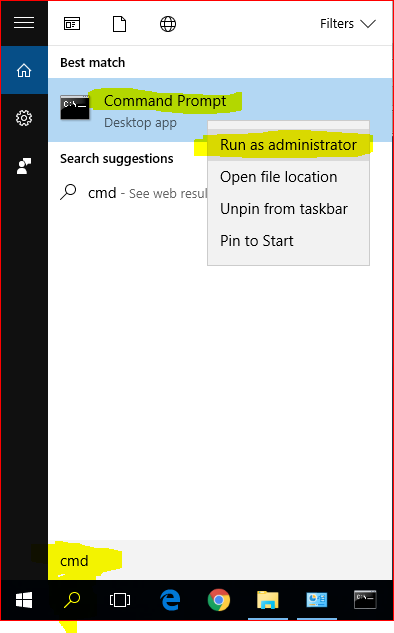
1. Open a Command Prompt as Administrator. This is important.
001.PNG
001.PNG (19.33 KiB) Viewed 4755 times

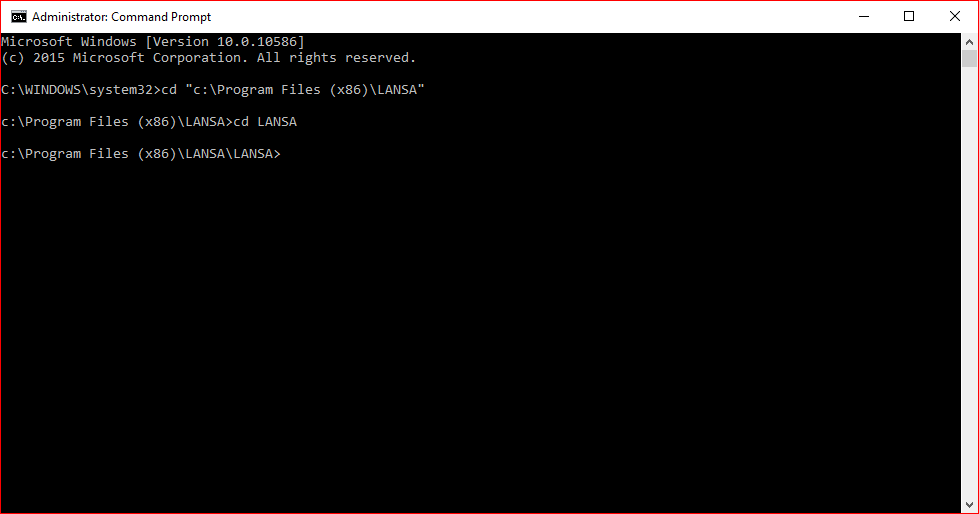
2a. cd to where LANSA is installed, typically c:\Program Files (x86)\LANSA
2b. cd to the LANSA folder
002.PNG
002.PNG (11.96 KiB) Viewed 4755 times

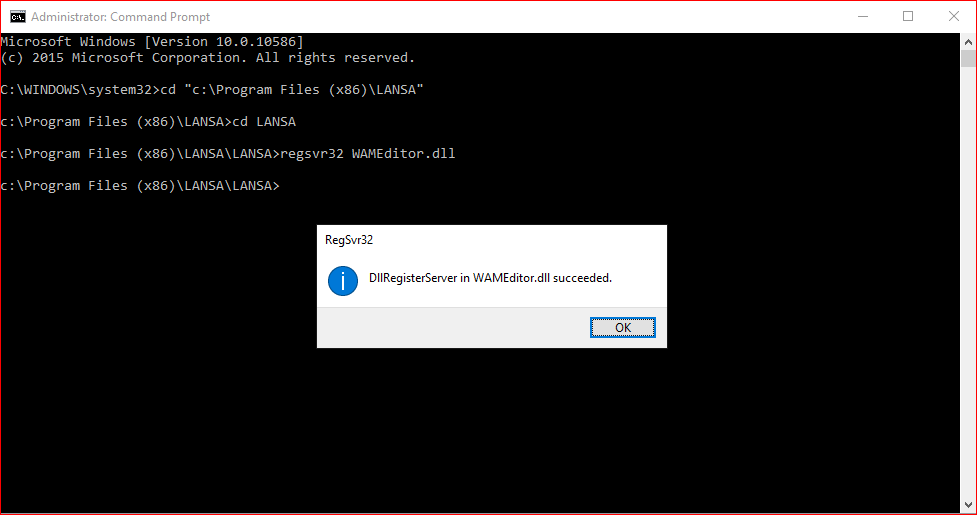
3. Register WAMEditor.dll as a COM object, ie, type regsvr32 WAMEditor.dll and hit ENTER
004.PNG
004.PNG (17.8 KiB) Viewed 4755 times

4. Do the same for WAMHTMLEditor.dll, ie type regsvr32 WAMHTMLEditor.dll and hit ENTER

5. Do the same for WAMTextEditor.dll, ie type regsvr32 WAMTextEditor.dll and hit ENTER

6. Start the LANSA Editor again.

Regards,
Torkel Cronholm
kno_dk
Posts: 221
Joined: Tue Feb 23, 2016 12:00 am

Re: LANSA V14 IDE WAM Design Error

Post by kno_dk »

Hi Torkel.

That was the solution.

Thanks

/Klaus
Post Reply