This Q&A forum allows users to post and respond to "How Do I Do ....." questions. Please do not use to report (suspected) errors - you must use your regional help desk for this. The information contained in this forum has not been validated by LANSA and, as such, LANSA cannot guarantee the accuracy of the information.
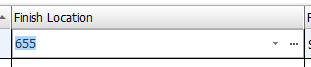
I have added the visualization on an ID Field with the caption of the Name of the record <see above>. For Example, ID= 1, Name = Apples. So if you add the ID to a Form or RP then it shows a Drop Down. When Clicked the Drop down shows a value of "Apples". All that works well. <see image below>
My problem is when I add that field to a List. The field displays the ID instead of the Caption within the list. If I click the dropdown it shows "Apples", but it displays the ID as the value.
I guess that's probably my point. The Dynamic Picklist has a Caption Property and a Value Property. The Caption is the Visible column when placed on a Form, the Value is the visible column when dropped into a Grid/List. I would expect the Caption to always be the visible column.
Function Options(*DIRECT)

* Uses the iDynamicPicklist interface to support use as a field visualization
Begin_Com Role(*EXTENDS #PRIM_objt *implements #Prim_dc.IDynamicPicklist)

* Field Visualization - Departments dynamic picklist

Mthroutine Name(Load) Options(*REDEFINE)

* Always clear the list when Loading
#Picklist.RemoveAll

* Read the departments table and add a picklist for each record
Select Fields(#xDepartmentCode #xDepartmentDescription) From_File(xDepartments)

* Add the item using the department code and description.  First item will become the default item
#Picklist.Add( #xDepartmentCode ("&1 (&2)").Substitute( #xDepartmentDescription #xDepartmentCode ) #Picklist.Items.IsEmpty )

Endselect

Endroutine

End_Com